EasyManua.ls Logo

Nakajima AE-710 - How To Change Accessories; Ribbon Cassette

Nakajima AE-710
36 pages
Print Icon
To Next Page IconTo Next Page
To Previous Page IconTo Previous Page
Loading...
HOW
TO CHANGE
ACCESSORIES
Ribbon
Cassette
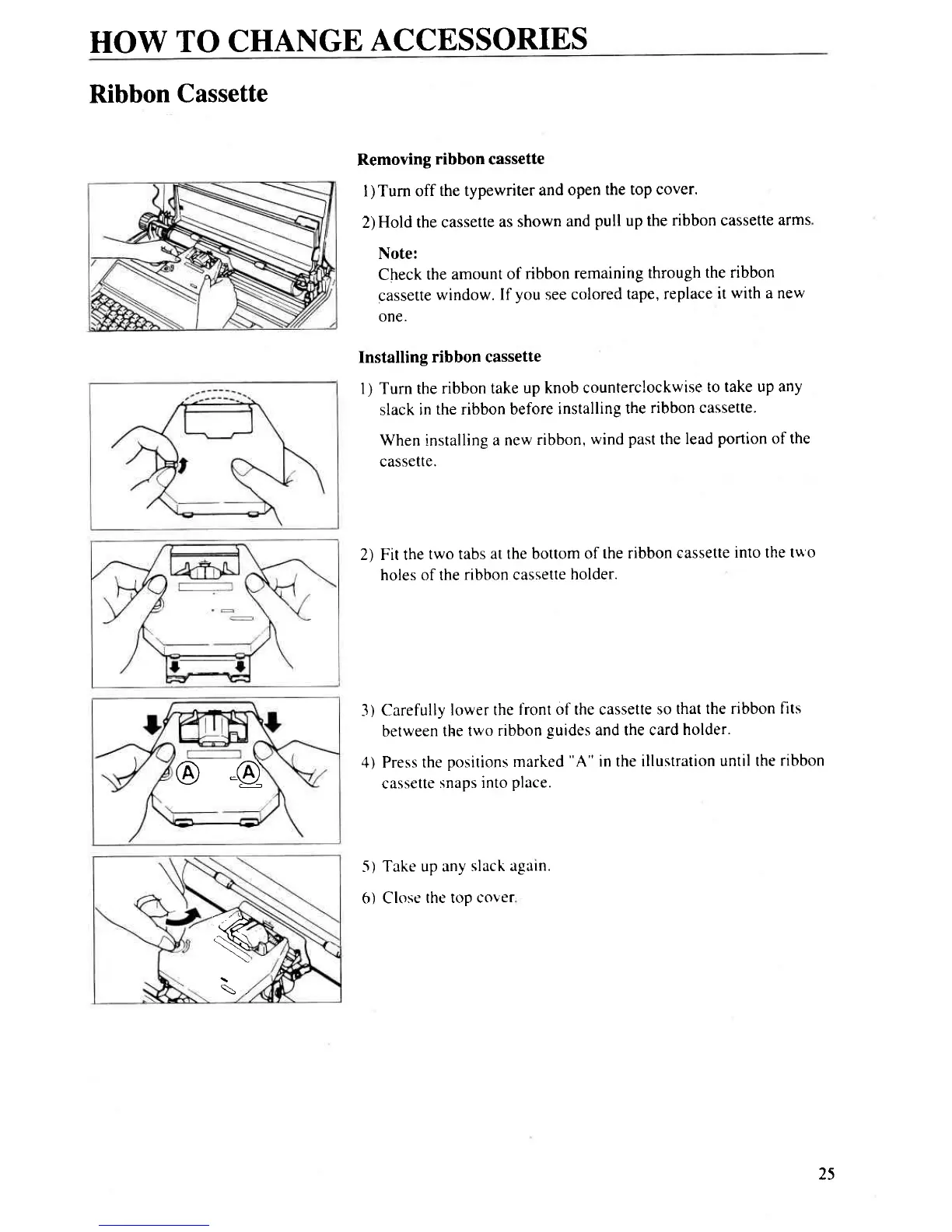
Removing
ribbon cassette
I
)
Turn off
the typewriter
and
open
the top cover.
2)
Hold the cassette
as shown
and
pull
up the
ribbon cassette
arms
Note:
Check
the amount
of
ribbon
remaining
through
the ribbon
cassette
window.
If
you
see colored
tape, replace
it
with a new
one.
Installing
ribbon cassette
1) Turn the
ribbon take
up knob counterclockwise
to take up any
slack
in
the ribbon before
installing
the
ribbon cassette.
When installing
a new
ribbon,
wind
past
the
lead
portion of the
cassette.
2) Fit the
two tabs
at the bottom of
the ribbon
cassette
into the tu
o
holes of the
ribbon cassette
holder.
3)
Carefully
lower the
front of the cassette
so
that the ribbon
flts
between
the two
ribbon
guides
and the card
holder.
4) Press the
positions marked
"A"
in the illustration
until the
ribbon
cassette
snaps into
place.
Take up any
slack again
Close
the top cover
-5)
o)
@-a
'4.
N
\)
\,
25

Related product manuals