EasyManua.ls Logo

Nakajima AE-710 - Page 30

Nakajima AE-710
36 pages
Print Icon
To Next Page IconTo Next Page
To Previous Page IconTo Previous Page
Loading...
I IDDDIDI
D
EDI
a
flri]Dt]
!
EDDD
I
E|--rfl
Ribbon
select
setting
Your
typewriter
can use
either
correctable
carbon
or
multi-strike
ribbons.
Set the
ribbon
selection
in accordance
with
the ribbon
you
use.
Correctable
carbon
ribbon
is selected
for the
lact<1ry
setting.
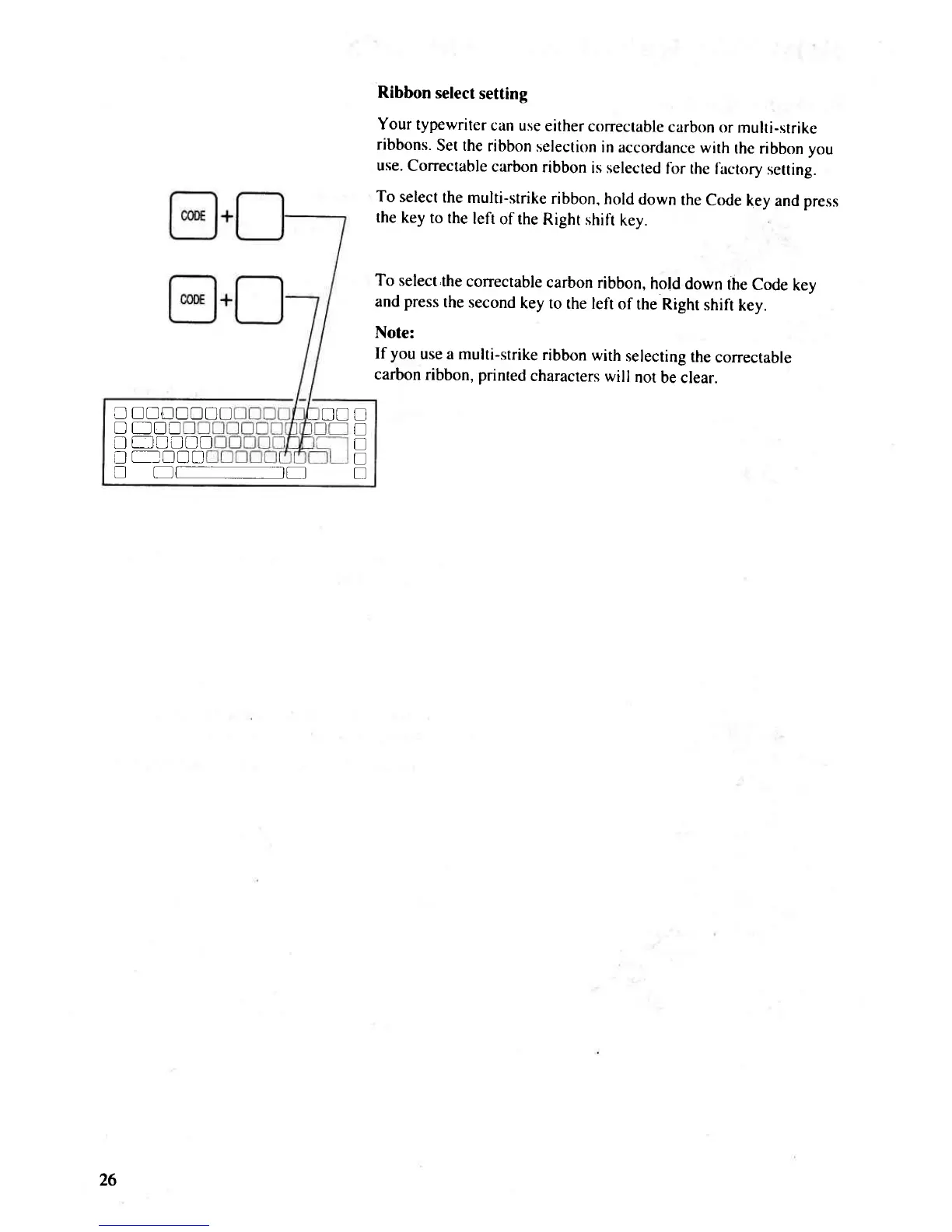
To select
the
multi-strike
ribbon,
hold
down
the Code
key
and press
the
key
to the
left
of the
Right
shifi
key.
To select,the
conectable
carbon ribbon,
hold
down
the
Code
key
and
press
the second
key to
the left
of
the Right
shift
key.
Note:
If
you
use a multi-strike
ribbon
with
selecting
the
correctable
carbon
ribbon, printed
characters
will
not
be clear.
I
T
I
!
L]
T!
26

Related product manuals