EasyManua.ls Logo

Nakajima AE-710 - Tabs

Nakajima AE-710
36 pages
Print Icon
To Next Page IconTo Next Page
To Previous Page IconTo Previous Page
Loading...
Tabs
@
(tr)
@
(tr)
@
(tr)
@(E)
e(E)
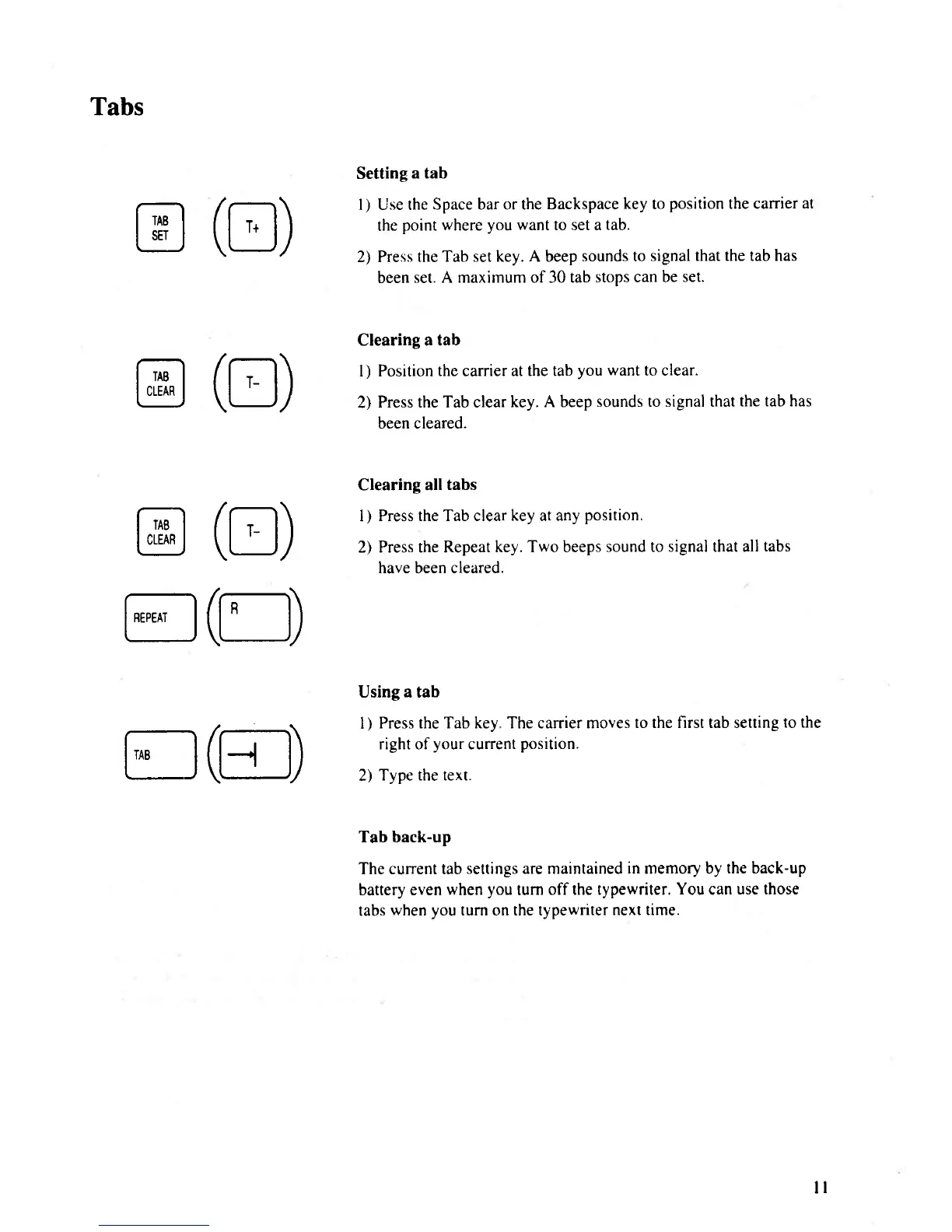
Setting
a tab
I
)
Use the
Space bar or the
Backspace
key
to
position
the canier
at
the
point where
you want
to set a
tab.
2) Press the
Tab set key. A beep
sounds to
signal that the tab has
been
set. A maximum of 30 tab
stops can be
set.
Clearing a tab
l) Position
the carrier at the tab
you want
to clear.
2)
Press the Tab clear
key. A beep
sounds to signal that
the tab has
been cleared.
Clearing all
tabs
I
)
Press the Tab clear key at any
position.
2) Press the Repeat
key. Two beeps
sound to signal that all
tabs
have been cleared.
Using a tab
I
)
Press the Tab key The carrier moves
to the first tab setting
to the
right of
your
current
position.
2)
Type the text.
Tab back-up
The current tab
settings are maintained
in
memory by
the back-up
battery even
when
you
turn
off the typewriter.
You
can
use those
tabs
when
you
turn on the typewriter
next time.
ll

Related product manuals