EasyManua.ls Logo

Nakajima AE-710 - Micro Adjustments

Nakajima AE-710
36 pages
Print Icon
To Next Page IconTo Next Page
To Previous Page IconTo Previous Page
Loading...
Micro
Up/lVlicro
Down/lVlicro
Back
Space
@.@
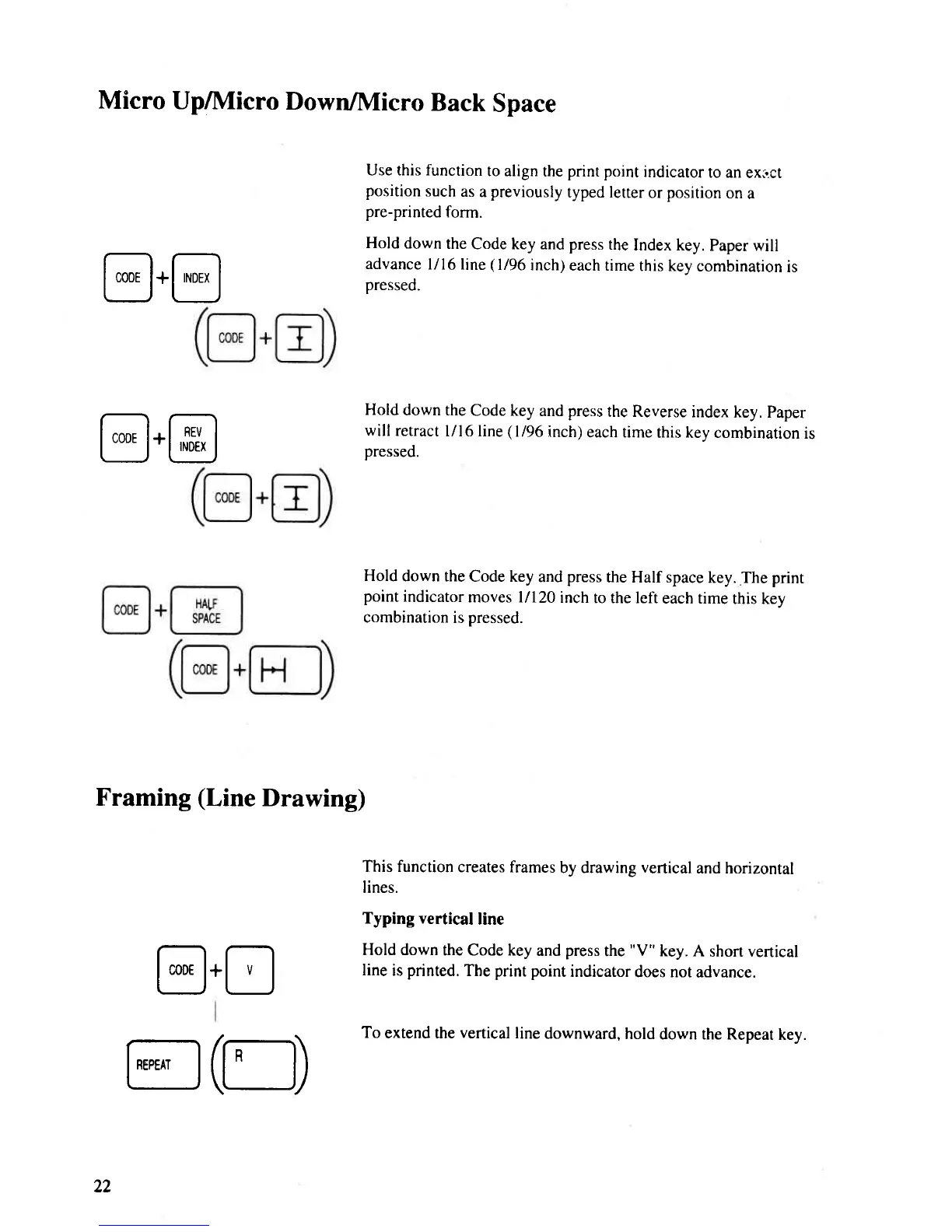
Use this function
to align
the
pnnt point
indicator
to an
ext.ct
position
such
as
a
previously
typed letter
or
position
on
a
pre-printed
form.
Hold
down
the
Code key and press
the
Index key.
Paper will
advance
l/l6line
(l/96
inch)
each time
this kev
combination
is
pressed.
Hold
down the
Code key
and
press
the Reverse
index
key. Paper
willretract
l/l6line
(l/96
inch)
each rime
this key combination
is
pressed.
Hold
down the
Code key
and
press
the Half space
key. The
print
point
indicator
moves l/120
inch
to the left
each time
this key
combination
is
pressed.
This function
creates frames
by drawing
vertical
and horizontal
lines.
Typing vertical
line
Hold down
the Code key
and
press
the
"V"
key.
A short vertical
line
is
printed.
The
print
point
indicator
does not
advance.
To
extend the
vertical
line
downward,
hold
down the Repeat
key.
@.@
Framing
(Line
Drawing)
@.8
22
@(Et)

Related product manuals