EasyManua.ls Logo

Nakajima AE-710 - Page 27

Nakajima AE-710
36 pages
Print Icon
To Next Page IconTo Next Page
To Previous Page IconTo Previous Page
Loading...
@.8
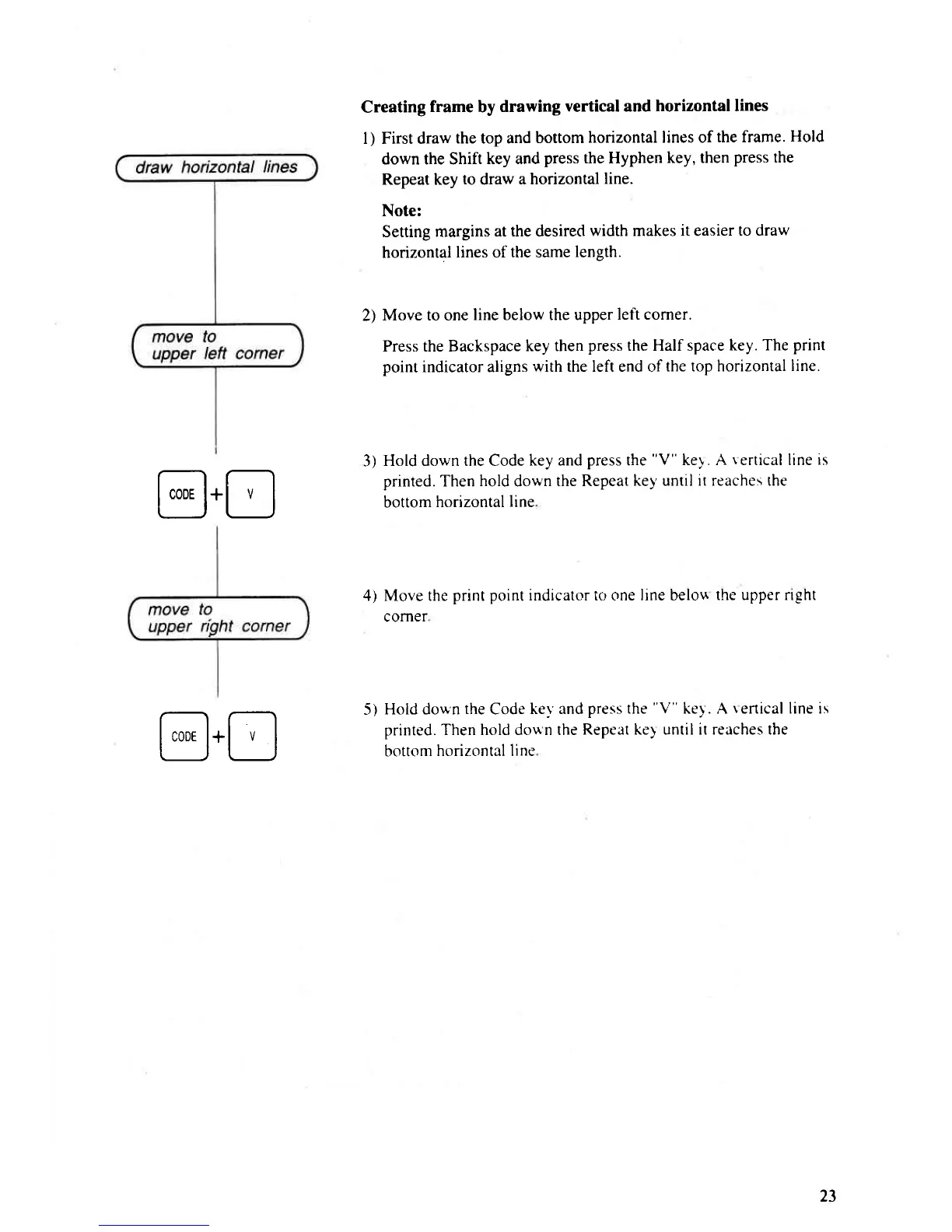
Creating
frame
by
drawing
vertical and
horizontal lines
l) First draw
the top and
bottom
horizontal lines of
the frame.
Hold
down the Shift
key and
press
the Hyphen
key, then
press
the
Repeat key
to
draw
a horizontal
line.
Note:
Setting margins
at the desired
width makes
it
easier
to draw
horizontal
lines of the same
length.
2)
Move to one
line below the upper
left corner.
Press the Backspace
key then
press
the Half space
key. The
print
point
indicator aligns
with
the left end of
the top horizontal
line.
3)
Hold down the Code
key and
press
the
"V"
key . A
r
ertical line
is
printed. Then
hold
down
the Repeat
key until it reaches the
bottom
horizontal
line
4) Move the
print
point
indicator io one line belou
the upper right
corner
5)
Hold down
the
Code
key and
press the
"V"
ke1 . A
renical
line is
printed. Then hold doun the
Repeat key until it reaches the
bottom
horizontal line
@.8
23

Related product manuals