97
English
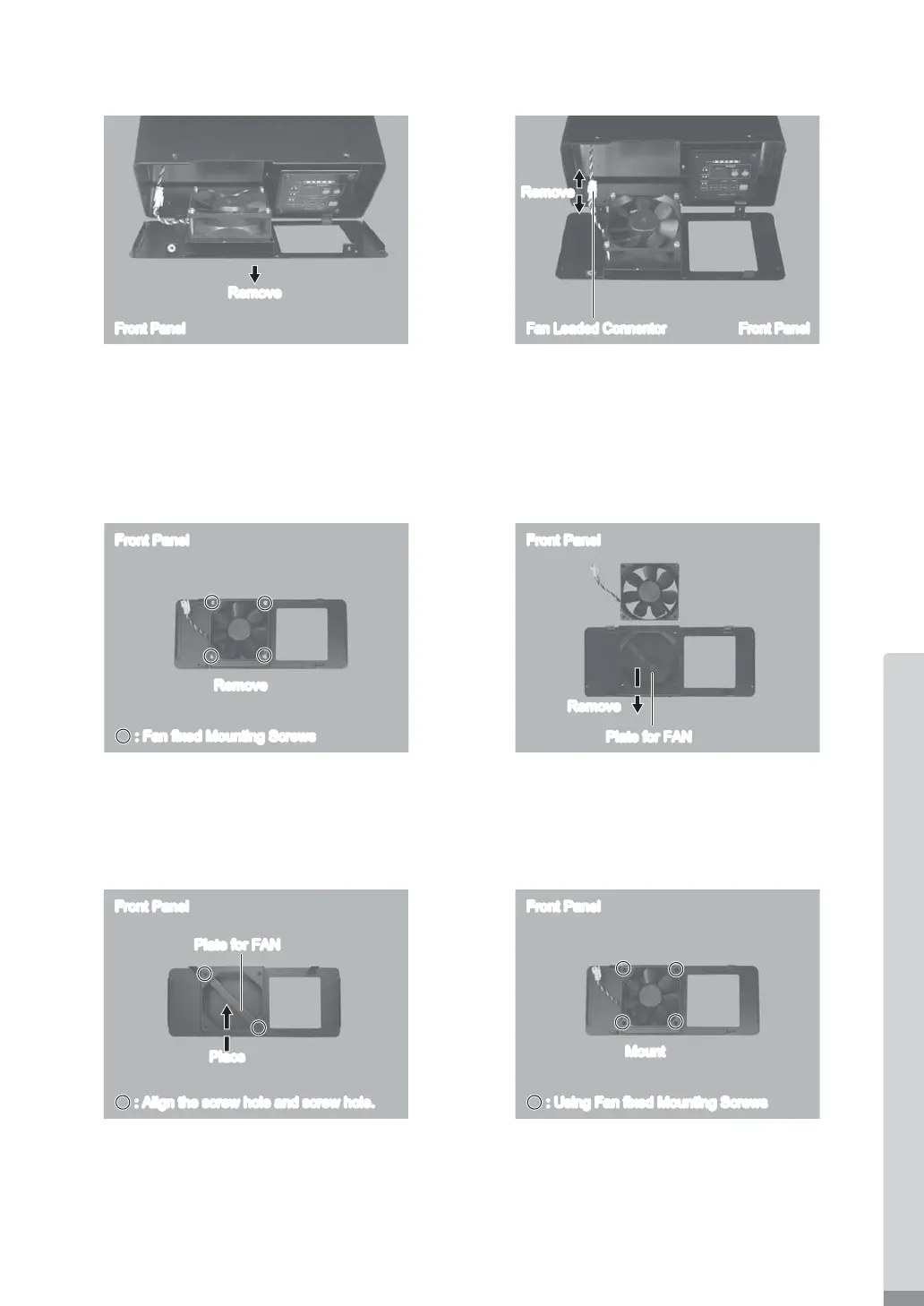
(4) Remove the Case (Fromt Panel) from the CONTROLLER (Fig. 39).
(5) Remove the FAN Cord (Fig. 40).
Fig. 39 Fig. 40
Front Panel
Remove
Front PanelFan Leaded ConnentorFan Leaded Connentor
Remove
(6) Remove the FAN Mounting Screws (4pcs.) from the Case (Front Panel) of the CONTROLLER (Fig. 41).
(7) Remove the FAN from the Case (Front Panel) of the CONTROLLER (Fig. 42).
(8) Remove the Plate for FAN from the Case (Front Panel). Clean the Case (Front panel) and Plate with a lint-free
cloth (Fig. 42).
Fig. 41 Fig. 42
Front Panel
Remove
: Fan fixed Mounting Screws: Fan fixed Mounting Screws
Plate for FAN
Front Panel
Remove
(9) Position the Plate for FAN on the Case (Front Panel) as shown in Fig. 43.
(10) Mount the Replacement FAN onto the Case (Front Panel) by using FAN Mounting Screws (4pcs.) (Speci¿ ed
Torque : 0.5N·m
±
0.1) (Fig. 44).
Fig. 43 Fig. 44
Plate for FAN
Front Panel
Place
: : Align the screw hole and screw hole.
Front Panel
Mount
: Using Fan fixed Mounting Screws: Using Fan fixed Mounting Screws


 To Next Page