EasyManua.ls Logo

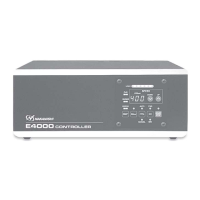
Nakanishi E4000 CONTROLLER - User Manual

Nakanishi E4000 CONTROLLER
55 pages
Print Icon
To Next Page IconTo Next Page
Loading...
E4000
CONTROLLER
取扱説明書/
OPERATION MANUAL
日本語 : P1 - P46 / English : P49 - P100
OM-K0596 004

Questions and Answers

  • J
    Justin BaxterAug 3, 2025
    What to do if the Nakanishi Controller motor does not run?
    • M
      Megan AndersonAug 3, 2025
      If the motor does not run, check the following: Ensure the main power switch on the rear of the controller is ON and the power cord is securely connected to the AC power input terminal block. Verify the motor cord plug (power or signal line) is correctly connected to both the motor and the controller. If using manual mode, start with the Start/Stop button, or switch to Auto mode. If in Auto mode, use an external command signal or switch to Manual mode. For the E4000 Safety Relay Box, ensure the Emergency Stop Signal is ON (closed). Also, check for any errors indicated by the Error LED and address the cause. Finally, ensure the air pressure is within 0.2 - 0.35MPa (29.0 - 50.8psi).
  • P
    Paul AnthonyAug 8, 2025
    Why is there abnormal vibration or noise during Nakanishi Controller rotation?
    • J
      johnrogersAug 8, 2025
      Abnormal vibration or noise during rotation can be caused by several factors. The tool might be bent, in which case you should replace it. Cutting debris may have contaminated the ball bearings; if so, the ball bearings need to be replaced. Also, the spindle bearings may be damaged.
  • N
    Nancy WilliamsAug 13, 2025
    What causes high run-out in the Nakanishi Controller?
    • R
      Raymond ThompsonAug 13, 2025
      High run-out can be attributed to several issues. The tool might be bent, so try changing it. The collet nut may not be correctly installed; ensure it is securely fastened. The collet and collet nut could be worn and need replacement. There might be contaminants inside the collet, collet nut, or the spindle; clean these components. The spindle bearings might be damaged.
  • V
    Virginia LiuAug 18, 2025
    Why is the Nakanishi Controller overheating during rotation?
    • T
      thomasharrisAug 18, 2025
      Overheating during rotation can occur if cutting debris has contaminated the ball bearings, damaging them, in this case ball bearings need to be replaced. Also, check the air hose connection and air pressure, as low air pressure can also cause overheating.
  • T
    Tammy GriffithAug 23, 2025
    What causes tool slippage in the Nakanishi Controller?
    • A
      Adam JacksonAug 23, 2025
      Tool slippage can occur if the collet or collet nut are not correctly installed. Check and clean these components, then reinstall them. Also, the collet and collet nut may be worn and need replacement.
  • C
    Carolyn WardAug 28, 2025
    What to do if the Nakanishi Controller motor speed is not displayed correctly?
    • S
      Steven EvansAug 28, 2025
      If the motor speed is not displayed correctly, confirm that the commanded rotation speed of the connected motor and the commanded rotation speed motor voltage are correct. Also, check if a motor fixed speed is set in the parameter and release the parameter if needed.

Summary

Important Instructions and Warnings

Grounding Instructions

Safety guidelines for proper electrical grounding to prevent electric shock.

Other Warning Instructions

General safety precautions for operating electric tools to reduce risks.

Cautions for Handling and Operation

DANGER

Critical safety warnings outlining risks of death or serious injury if precautions are not followed.

WARNING

Safety warnings regarding potential for bodily injury or device damage if instructions are not followed.

CAUTION

Advisories for potential light injury or device damage if safety instructions are not followed.

Product Warranty

Product Features

Specifications and Dimensions

System Configuration Diagram

Torque Performance Characteristics

Bracket and Rubber Pad Installation

Power Cord Connection Procedure

Motor Cord Connection Procedure

Air Hose Connection Procedure

Operation Procedures

Selecting Control Mode (Manual;Auto)

How to switch between manual control via the panel and automatic control via external signals.

Manual Mode Operation

Steps for controlling motor start/stop, rotation direction, and speed using the control panel.

Auto Mode Operation

How to control motor functions using external input signals via the I/O connector.

External Input;Output Connector Details

Protect Function Overview

Warning Indicators and Functions

Explains the meaning of the warning LED, warning codes, and associated troubleshooting.

Detecting Unsafe Operating Conditions

Describes error conditions, their causes, and the resulting system events and indicators.

Resetting System After Error Codes

Procedures for clearing error codes and resuming operation after an error is resolved.

Operating Parameter Settings

Spindle Break-in Procedure

Maintenance Procedures

Troubleshooting Common Issues

Troubleshooting Guide

Provides further common issues, causes, and corrective actions for controller operation.

Nakanishi E4000 CONTROLLER Specifications

General IconGeneral
BrandNakanishi
ModelE4000 CONTROLLER
CategoryController
LanguageEnglish

Related product manuals