Updating Firmware 5-1
5 – Updating firmware and
Activation code Utility
5.1 Introduction
The PMM 7010 features a simple and user-friendly method for updating its
internal firmware through a Personal Computer (PC).
The “WrDongle” embedded in the FW Upgrade Tool is used for the
Options activation procedure.
This section provides all the information required for easy updating.
5.2 System requirements
The minimum requirements to allow the software to operate properly are
the following:
• 486 Processor or Pentium
• 16 Mb of RAM
• at least 10 Mb of free space on hard disk
• 1 free Serial Port (RS-232), or, alternatively, a USB/RS-232 Adapter
with related driver
• Windows Operating System™ 98/2000/XP/Vista/Win7
5.3 Preparing the
Hardware
Turn off the PMM 7010 and connect the RS-232 cable supplied with the
apparatus directly or through a USB/RS-232 Adapter separately purchased
(once related driver has been properly installed), to the 9 pin socket
situated on the back panel of PMM 7010 on one side and to a free RS232
port (or USB in case of Adapter’s use) on the PC side.
The first free RS-232 port will be automatically detected by the Firmware
Update Program during installation. In case of troubles please check port
assignments on the PC through the Control Panel utility.
5.4 Software
Installation
The Update Firmware and 7010 WrDongle executable programs are
provided together with the 7010 Software Utility stored on Software Media
and included in PMM 7010 Receiver package; anyway it’s always possible
to check for newer releases and download them from official NARDA Italy
Web Site Support page.
The User must have administrator privileges to install the
7010SeriesUp software in Windows 7; right click on the program .exe
file and click on “Run as administrator” to temporarily run the
program or application as an administrator until close it (Windows 7
also allows to mark an application so that it always runs with
administrator rights).
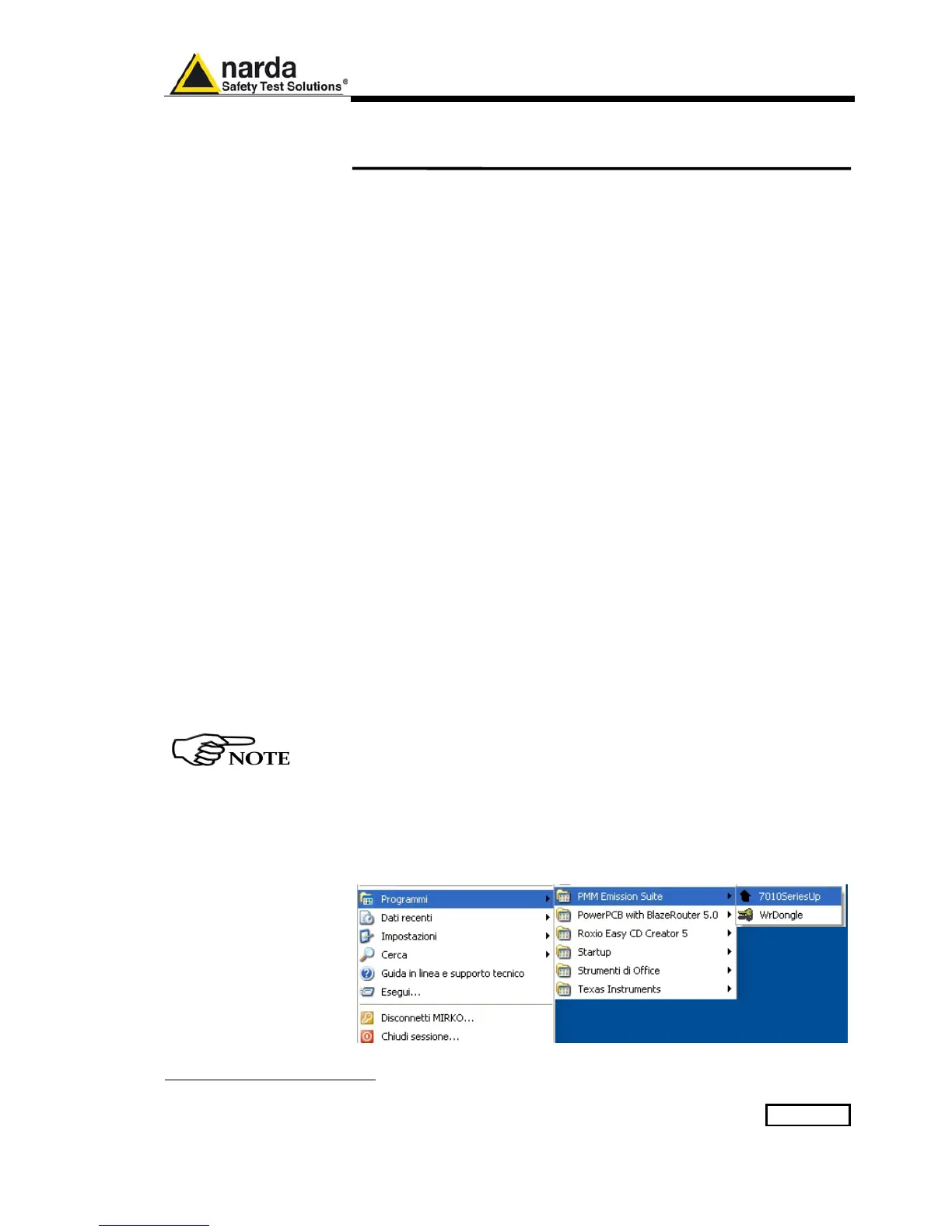
Once the 7010SeriesUp Setup has been installed in the PC, another item
is created in the Programs list at Start Menu, which is “PMM Emission
Suite”, from where the “7010SeriesUp” and “WrDongle” programs must
be run from.
Document 7010EN-81007-1.09 - © NARDA 2018



 To Next Page