Chapter 2 Installing Compact FieldPoint Hardware and Software
cFP-20xx and cFP-BP-x User Manual 2-6 ni.com
Mounting the Backplane on a Panel
The cFP-BP-x backplane is shipped with a panel-mount kit. Complete
the following steps to mount the backplane on a panel:
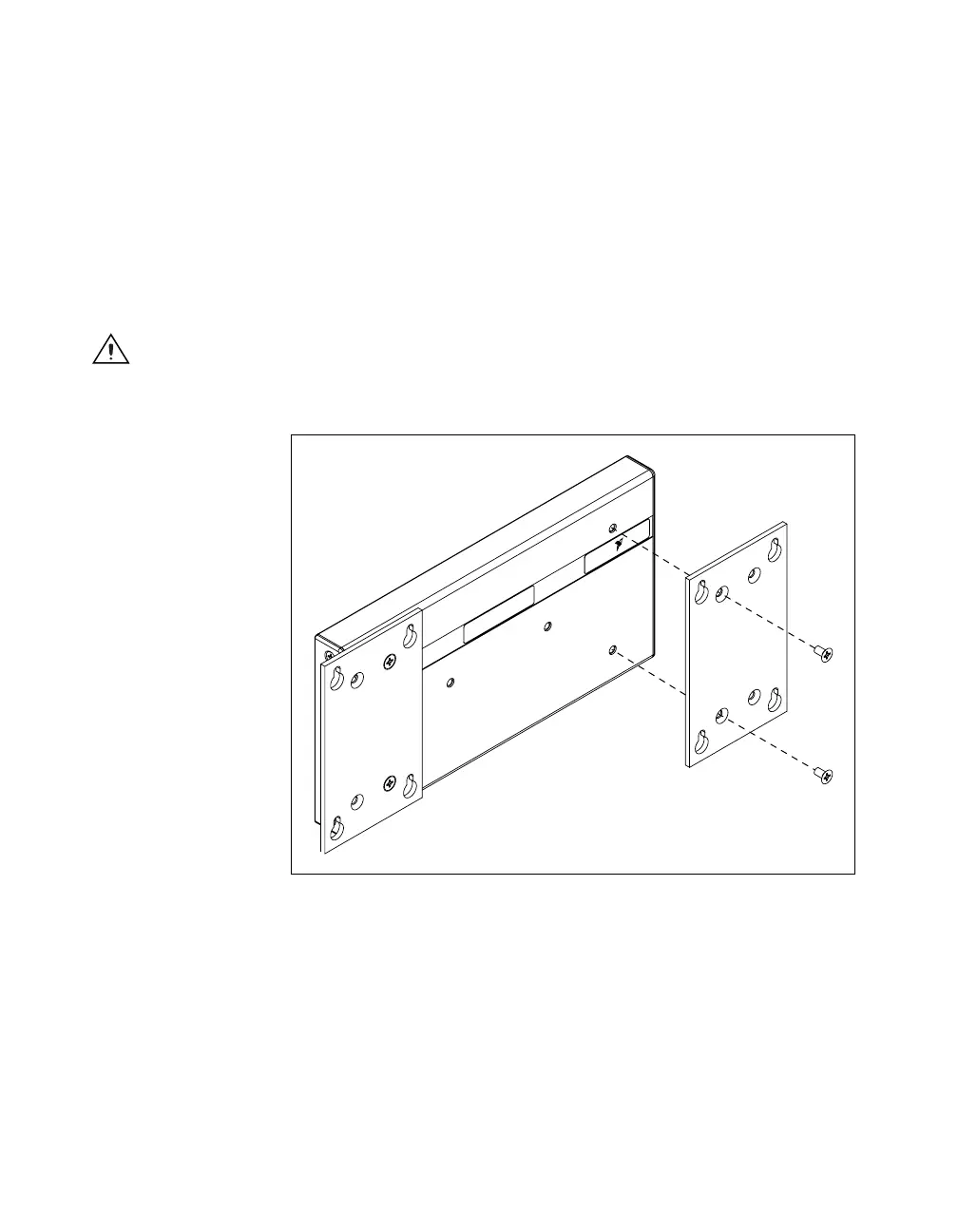
1. Fasten the two plates of the panel-mount kit to the back of the
cFP-BP-x using a number 2 Phillips screwdriver and the
8-32 × 5/16 in. countersink screws shipped with the kit. These
screws have a nylon coating to prevent them from loosening. Refer
to Figures 2-3 and 2-4.
Caution Do not use screws longer than 5/16 in. to fasten the panel-mount plates to the
backplane.
Figure 2-3. Fastening the Panel-Mount Plates to the cFP-BP-4 Backplane
2. Bolt or screw the panel-mount accessory to a panel using 8-32 or
M4 screws.
NATIONAL
INSTRUMENTS



 To Next Page
 Loading...

