Importer Plus Technical Instruction Manual Connecting to the importer
Issue 0.02 2010-03-29 Page 5-1
Section 5: Connecting to the importer
To connect the Importer Plus audio cable, perform the following steps:
1. Locate the cable harnesses supplied in plastic bag.
Note: The audio card(s) shipped in the Importer Plus are optional item(s) and, as such, may differ between
Importer Plus units. Audio cable(s) that are designed to work with the installed audio card will be shipped
with the unit; the audio channels are indicated on these cables.
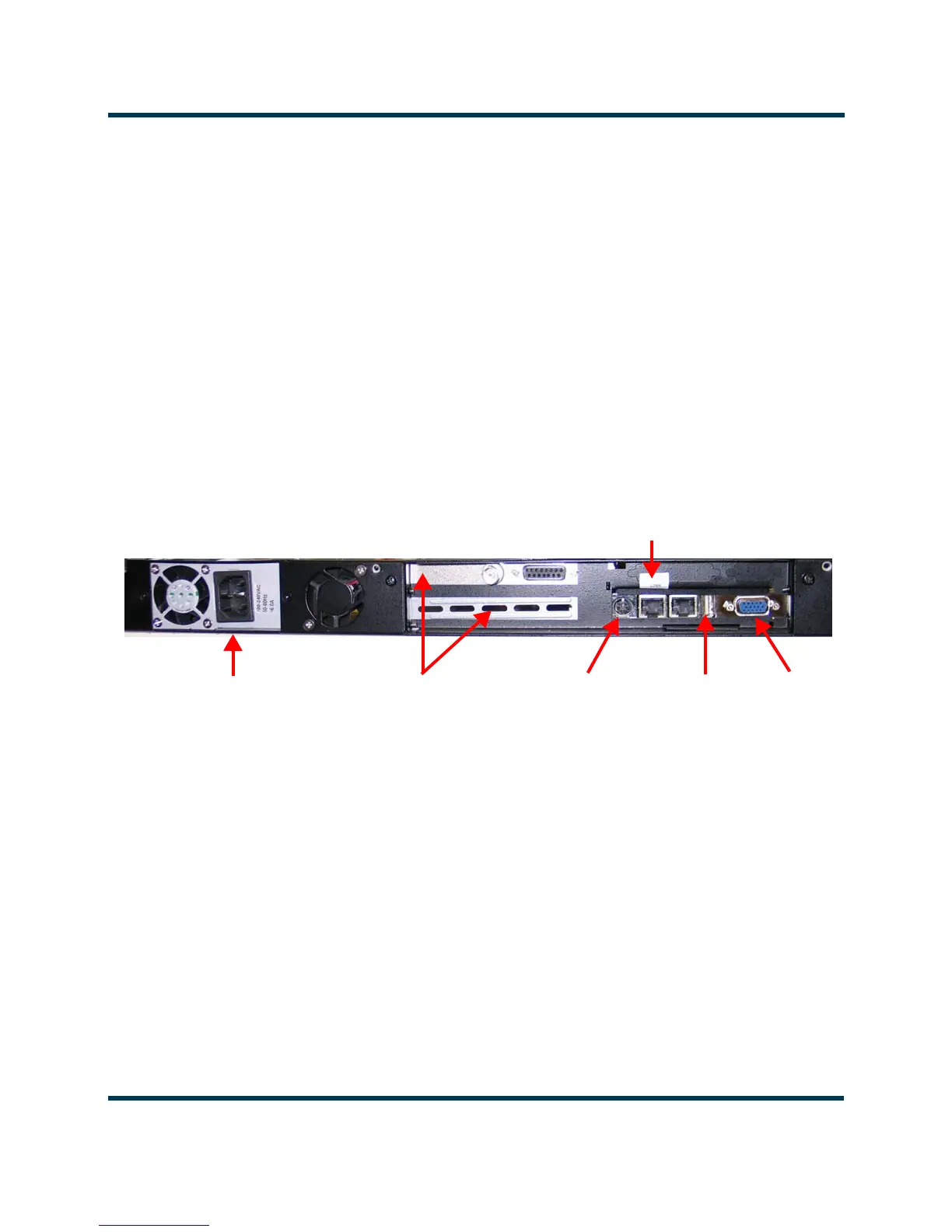
2. Connect the USB keyboard and mouse, and the monitor to the Importer Plus (see
Figure 5.1).
Figure 5.1: Importer Plus rear panel connections
PS2 Keyboard
USB
Audio Cards
Monitor
to
Cooling
Fan
Ac Power
Connector
Exporter/
NE IBOC
(bottom card not installed)
or
Mouse



 To Next Page