Importer Plus Technical Instruction Manual Troubleshooting
Issue 0.02 2010-03-29 Page 9-1
Section 9: Troubleshooting
This section provides instructions you need when responding to an Importer Plus or system fault.
This section includes the following topics:
• Checking audio - see page 9-1
• Checking cable connections - see page 9-2
• Parts information - see page 9-4
Checking audio
Use the Windows XP software associated with the audio card to troubleshoot potential audio
problems as follows:
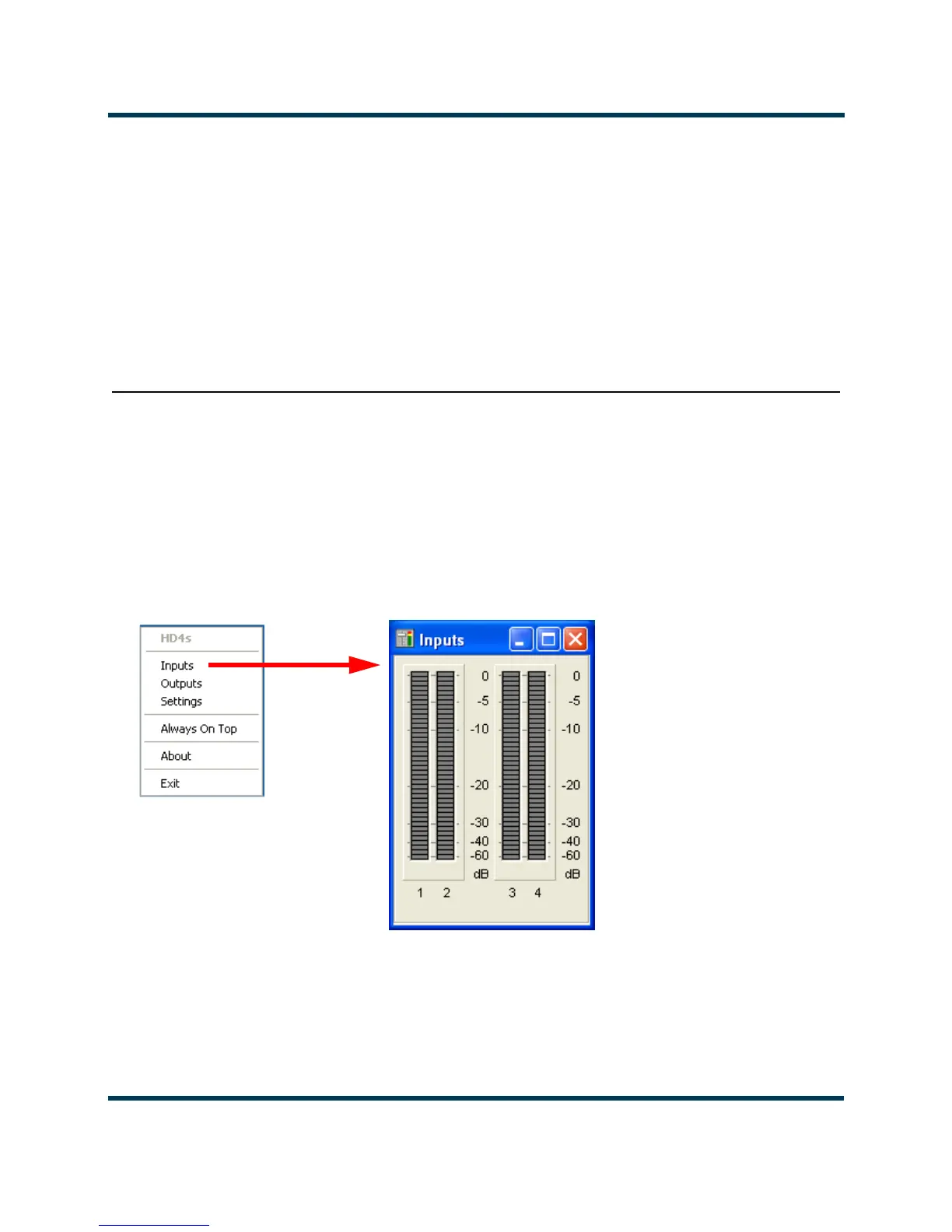
1. Click on the icon at the bottom of the Windows XP taskbar that displays the HD4 settings
dialog (see Figure 9.1). Select Inputs from the list.
Figure 9.1: HD4 Dialog and HD4 Inputs Screen
2. When the SPS application is running, the audio level bars on the inputs screen (see
Figure 9.1) will indicate the audio levels.



 To Next Page