Importer Plus Technical Instruction Manual Operating the Importer Plus
Page 8-14 Issue 0.02 2010-03-29
Changing service bandwidth allocation
One of the primary functions which can be performed from the Administration page (see
Figure 8.12) is the allocation of bandwidths for the various services.
Change your bandwidth allocation as follows:
1. From the
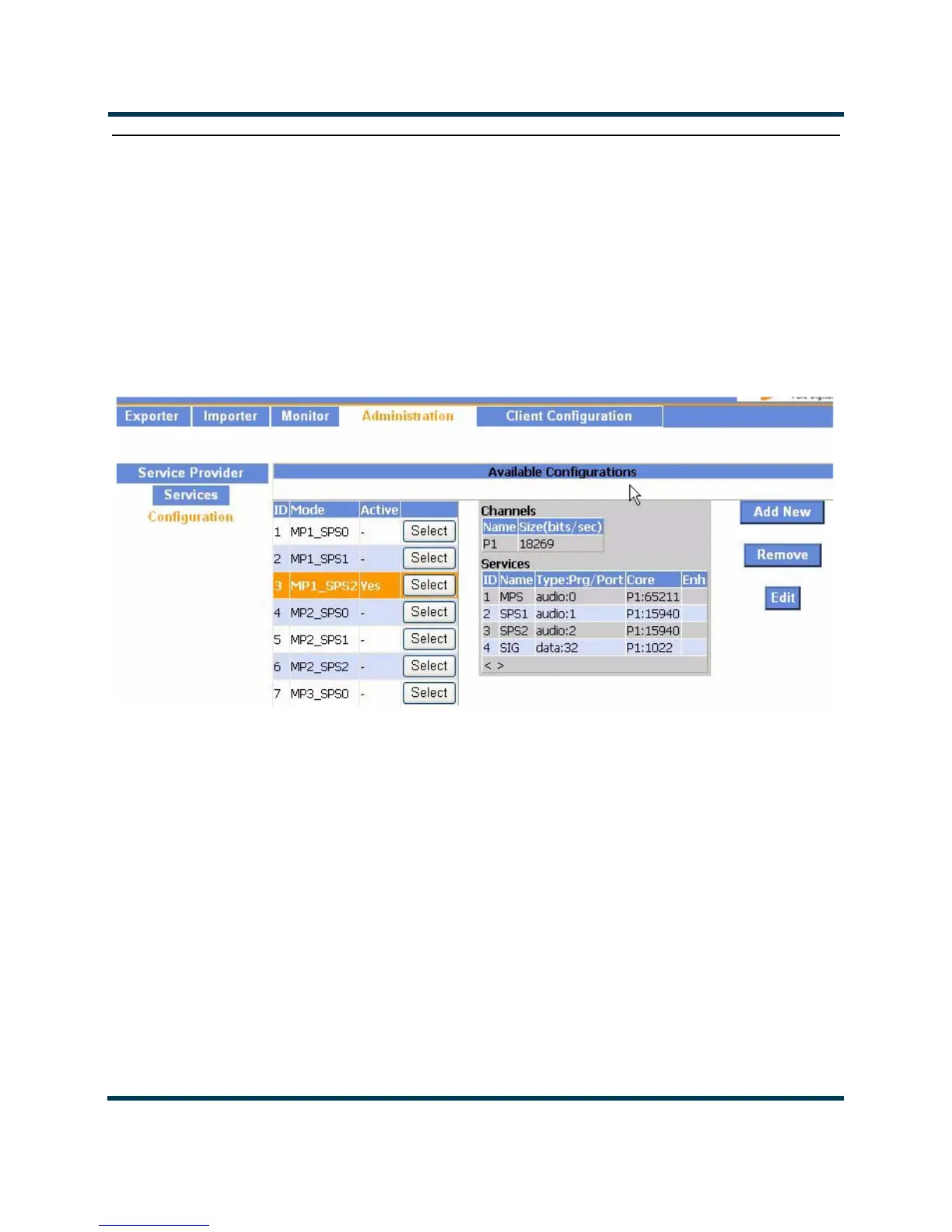
Administration page select a Configuration. It will be highlighted orange. The
currently active configuration will also be highlighted in orange (see Figure 8.13).
Figure 8.13: Edit Configuration
2. Select the blue Edit button to move to the next dialog. Each of the audio services is displayed
as shown in Figure 8.14. The additional available bandwidth is also indicated.



 To Next Page