Importer Plus Technical Instruction Manual Operating the Importer Plus
Page 8-2 Issue 0.02 2010-03-29
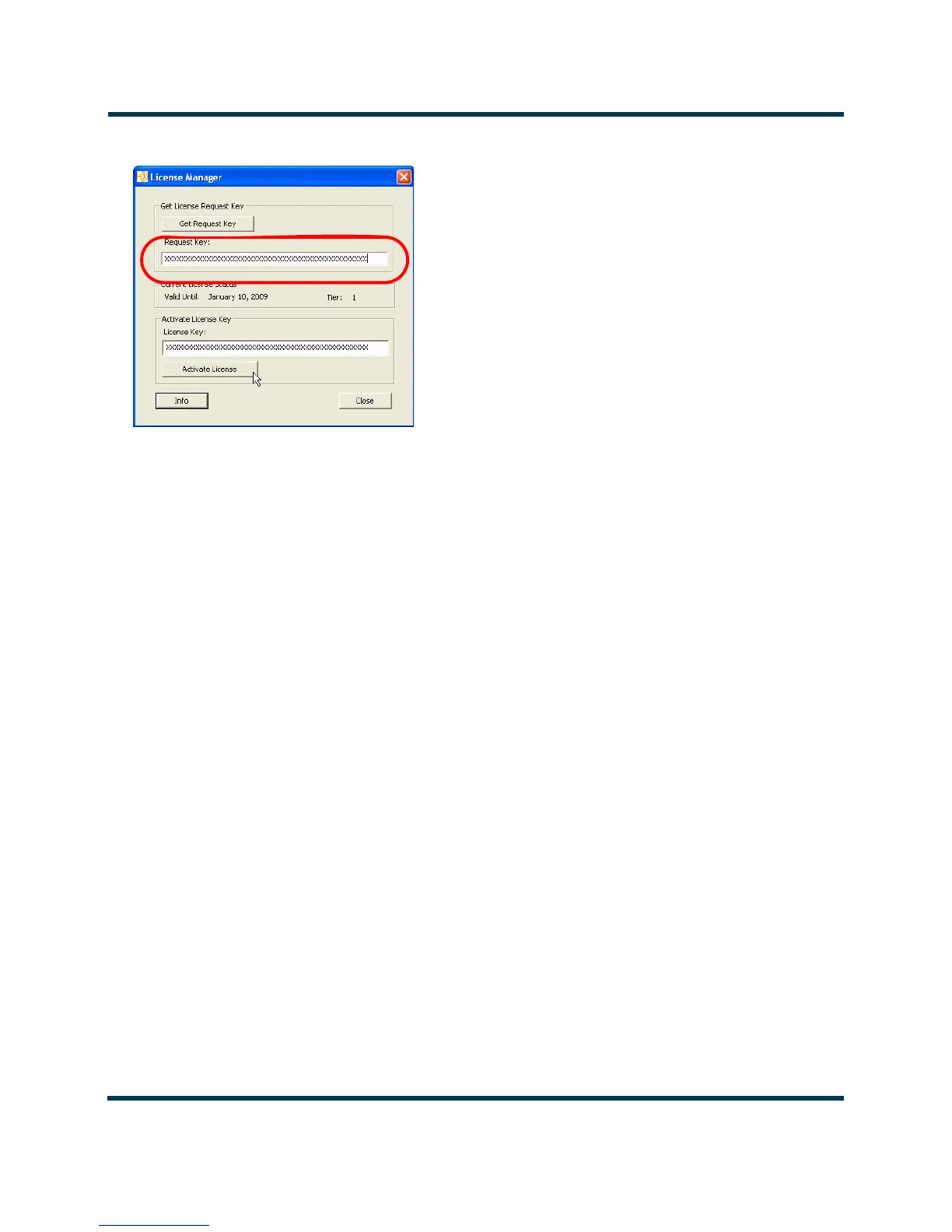
Figure 8.1: License Manager
2. If your license is about to expire, click on the Get Request Key button. A 48-character
code – the
Request Key – will appear in the box below the button.
3. Email the
Request Key to importerkey@ibiquity.com. A 48-character activation code – the
License Key – will be provided via return email.
4. Enter the License Key in the License Key box, then click on the Activate button.
Note:The request code is based on the Importer Plus’ present date as well as the MAC address of the Importer Plus’
Ethernet port. Only the request code that was emailed to Ibiquity will work with the assigned License Key. You may
need to manually re-enter the request code if License Manager is closed and the date advances prior to entering the
new key.
5. Verify that the date in the Current License Status box has advanced by approximately one
year.



 To Next Page