Importer Plus Technical Instruction Manual Operating the Importer Plus
Page 8-4 Issue 0.02 2010-03-29
Starting the Importer Plus: Click the start icon to start the Importer Plus. A properly
configured and connected Importer Plus will display a number of log messages
indicating that the various modules have started successfully.
Stopping the Importer Plus: Click the stop icon to stop the Importer Plus. The icon
appears in place of the start icon once the Importer Plus is started.
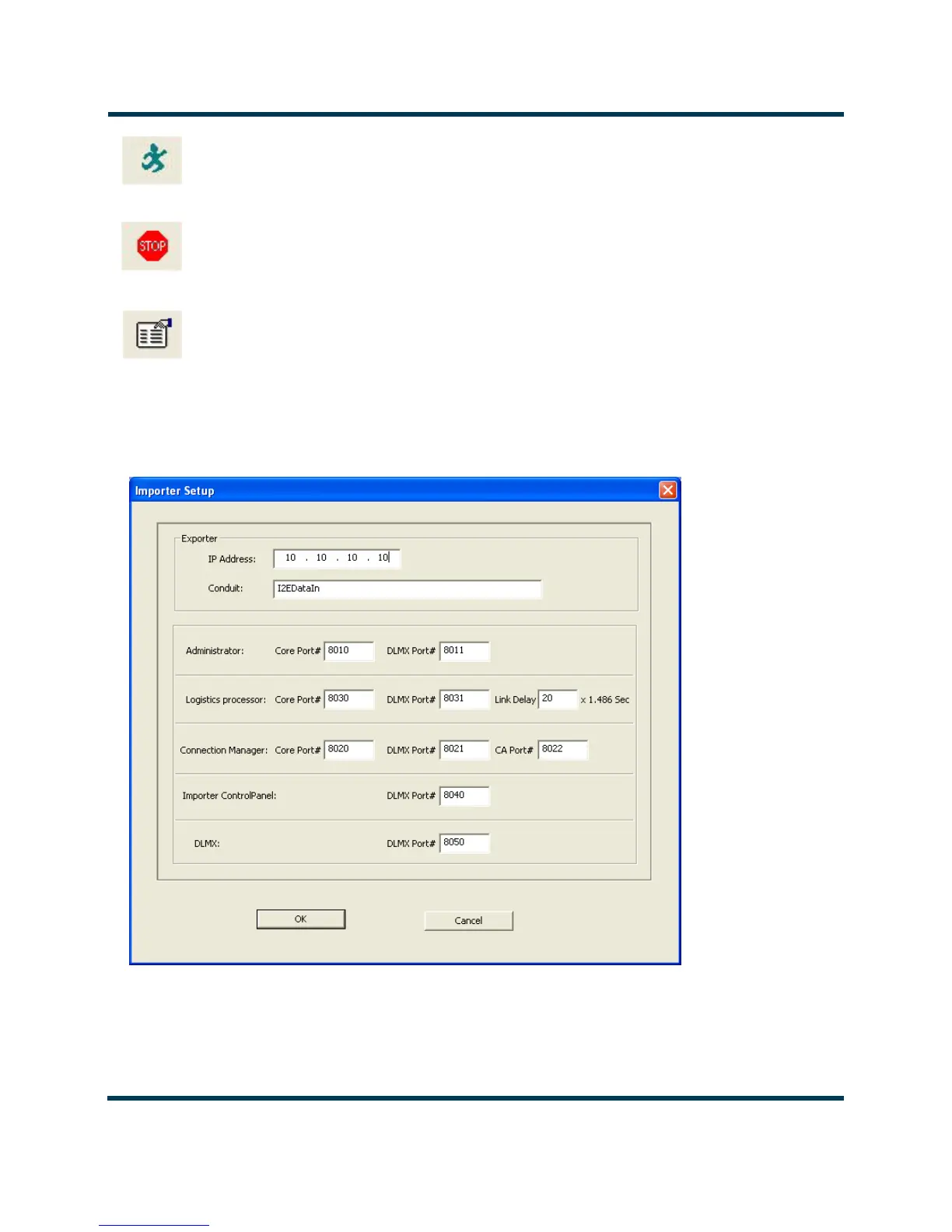
Importer Plus Setup: Click the setup icon to enter the Importer Setup screen. See
Figure 8.3. Typically the only setting which may be altered on this screen is the Exporter
IP address.
Figure 8.3: Importer Setup Screen



 To Next Page