Importer Plus Technical Instruction Manual Operating the Importer Plus
Issue 0.02 2010-03-29 Page 8-17
Backing up the Configuration Database
It is important that any changes made in the Importer Plus configuration (service providers, service
bandwidths, contracts, etc.) are saved in a safe location. This will allow system restoration if a
hardware failure occurs, or a mistake is made while modifying the configuration.
The Importer Plus includes an application, the
DB (database) Administration Wizard, for backing up
or restoring the database.
1. Run the application by double clicking the DBAdmin icon on the Importer Plus desktop.
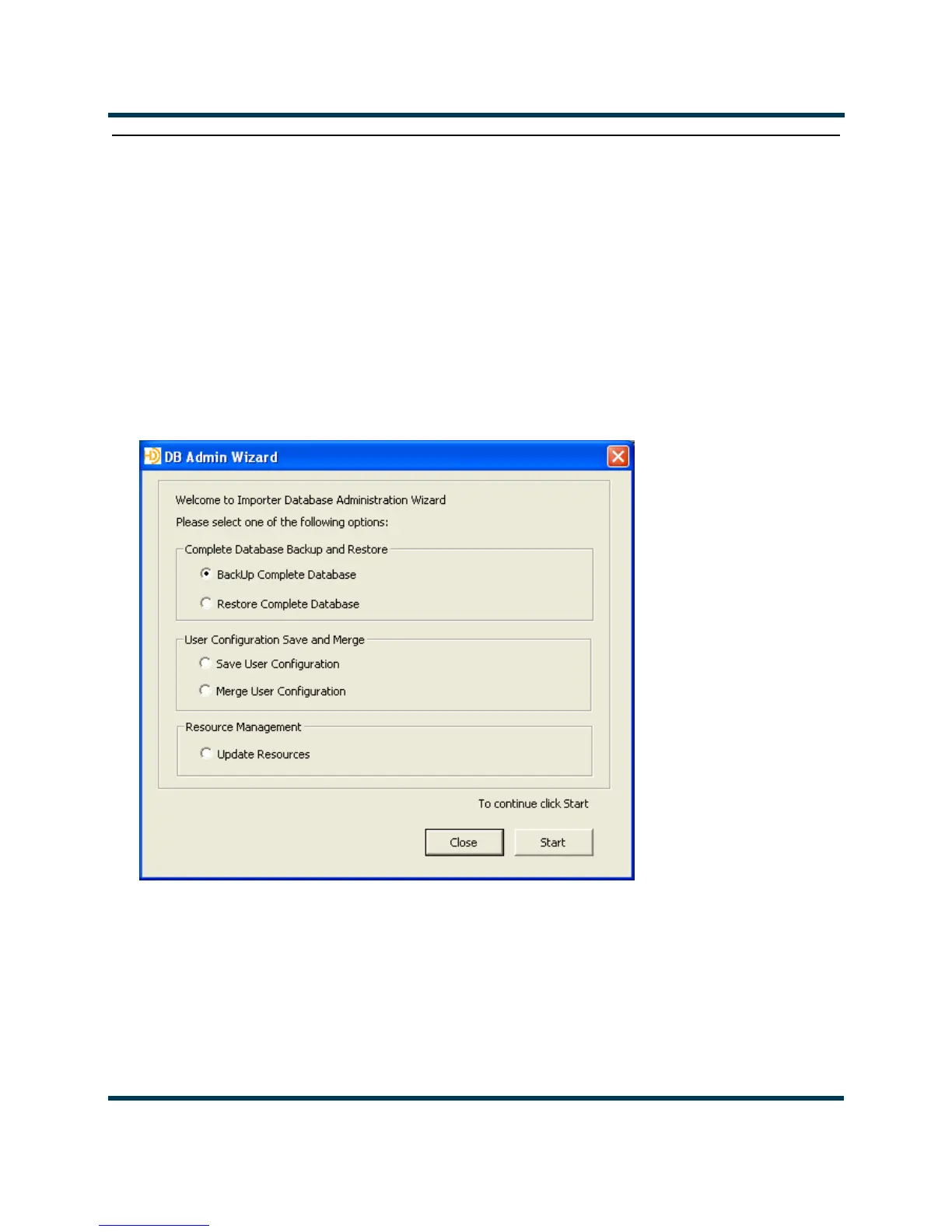
The screen shown in Figure 8.17 will appear.
Figure 8.17: DB Administration Wizard Welcome screen
2. Select Backup Importer Database and click on Start.
3. Enter a path and name for the backup database. Click
Next. The screen in Figure 8.19 will
appear.
4. Click the
Backup Now button. When the backup process is complete, click Finish to exit.



 To Next Page