8-28
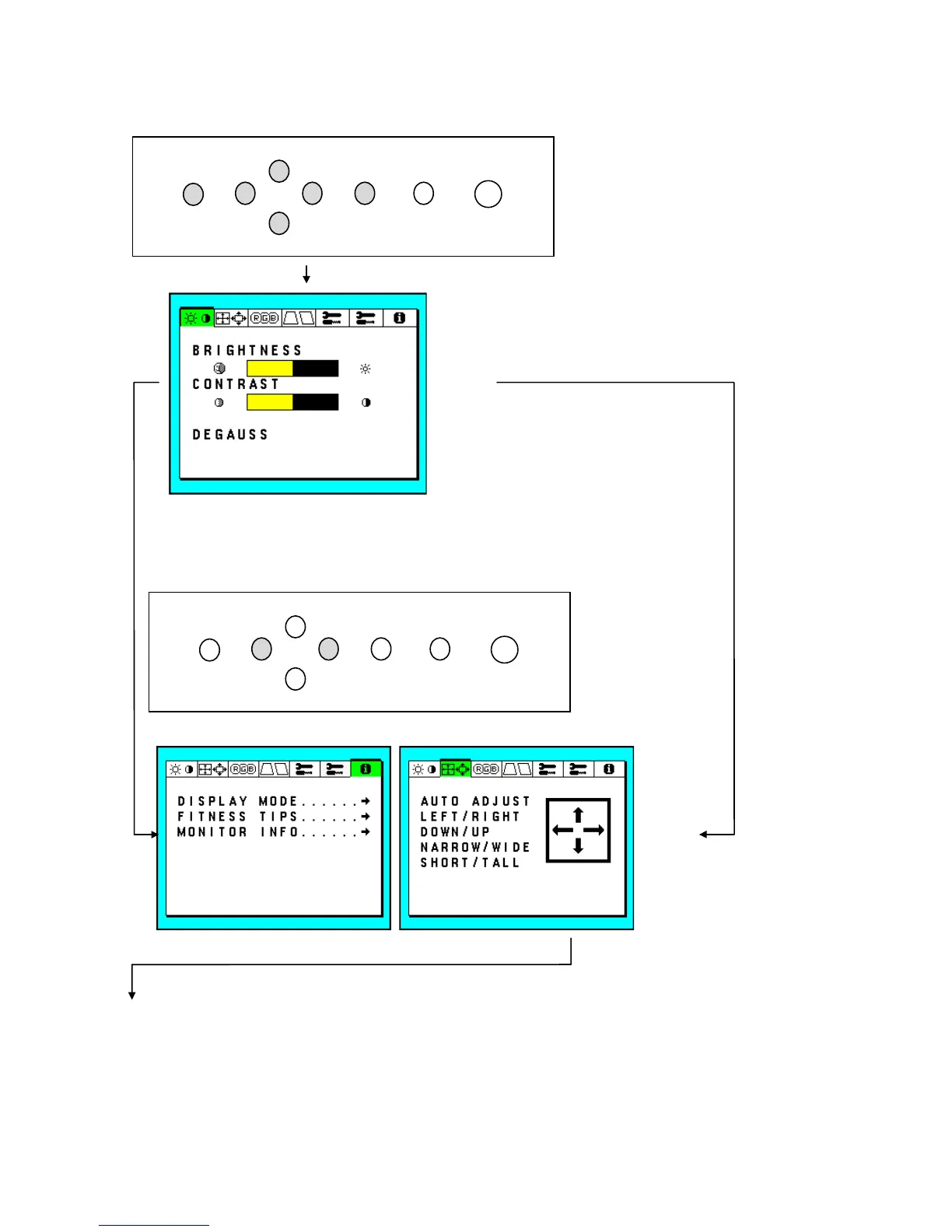
c. How to display OSM MENU
MENU(u) : Press “EXIT” or “-”, “+”, “5”, “6”, “PROCEED” once when OSM MENU is not displayed.
-
6
5
+
CONTROL PROCEED RESETEXIT
BNC/D-SUB
d. How to change TAB
press “-” OR “+” switch while highlighted bar is on TAB
-
5
6
+
CONTROL
PROCEED
RESETEXIT
BNC/D-SUB
“+”
“-”







 To Next Page