8-39
FITNESS TIPS
How to confirm “FITNESS TIPS” message.
1) Open SUB MENU (u) - “INFORMATION” - “FITNESS TIPS”
2) Press “+” and “−” switch together, then message will be displayed.
3) Press “+” switch, then message will change.
4) Press “+” switch, then message will change.
5) Press “+” switch, the SUB MENU(u) - “INFORMATION” - “FITNESS TIPS” will be displayed.
OSM LOCK OUT
1) Open MENU (u) - “TOOL2”
2) Move highlighted BAR to “OSM LOCK OUT”
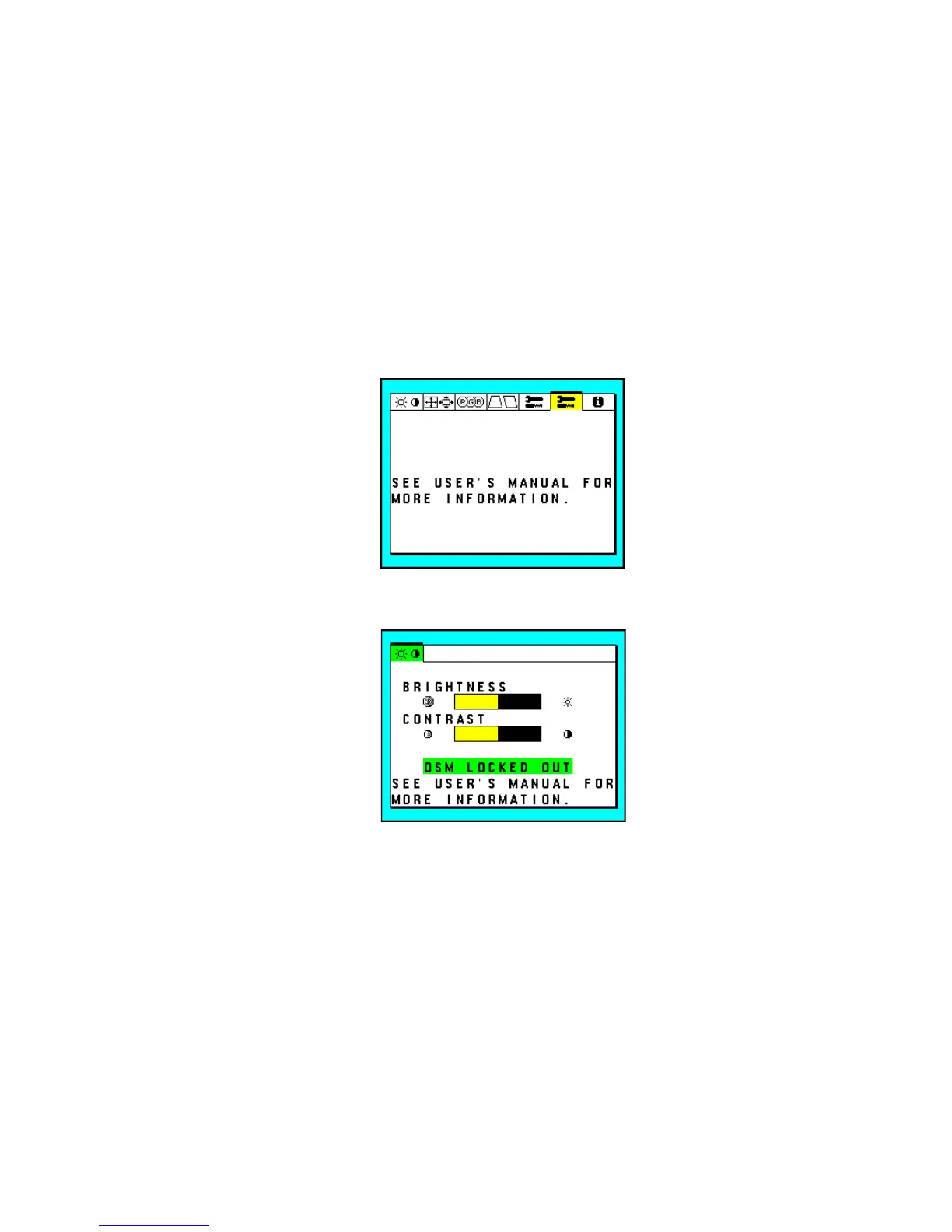
3) Press “PROCEED” switch while “OSM LOCK OUT” is highlighted, then message will be displayed as below.
4) Press “5” and “PROCEED” switch together, then message will be displayed as below, and OSM is locked
out.
5) Any control switch does not work while OSM is locked out.
6) To unlock “OSM LOCK OUT”, press “5” and “PROCEED” switch together when the above message is
displayed.







 To Next Page