5-16
1-2. Vertical Raster Position Signal: No. 29 (V.RASTER) All White
1) Receive signal 29.
2) Menu (S), TAG2 data on ”V.LINEARITY" are 90, and it confirms that data on "V.LIN.BALANCE" are 128.
* When data are not 90 and 128, Open TAG2 ”V.LINEARITY" and TAG2 "V.LIN.BALANCE", and set up
data.
Open Menu (S), TAG2 "H.SIZE" and adjust "+" SW so that the vertical raster size is 297±3.0 mm.
3) Open Menu (S), TAG 2 "V.RASTER CENTER" and push "RESET" SW.
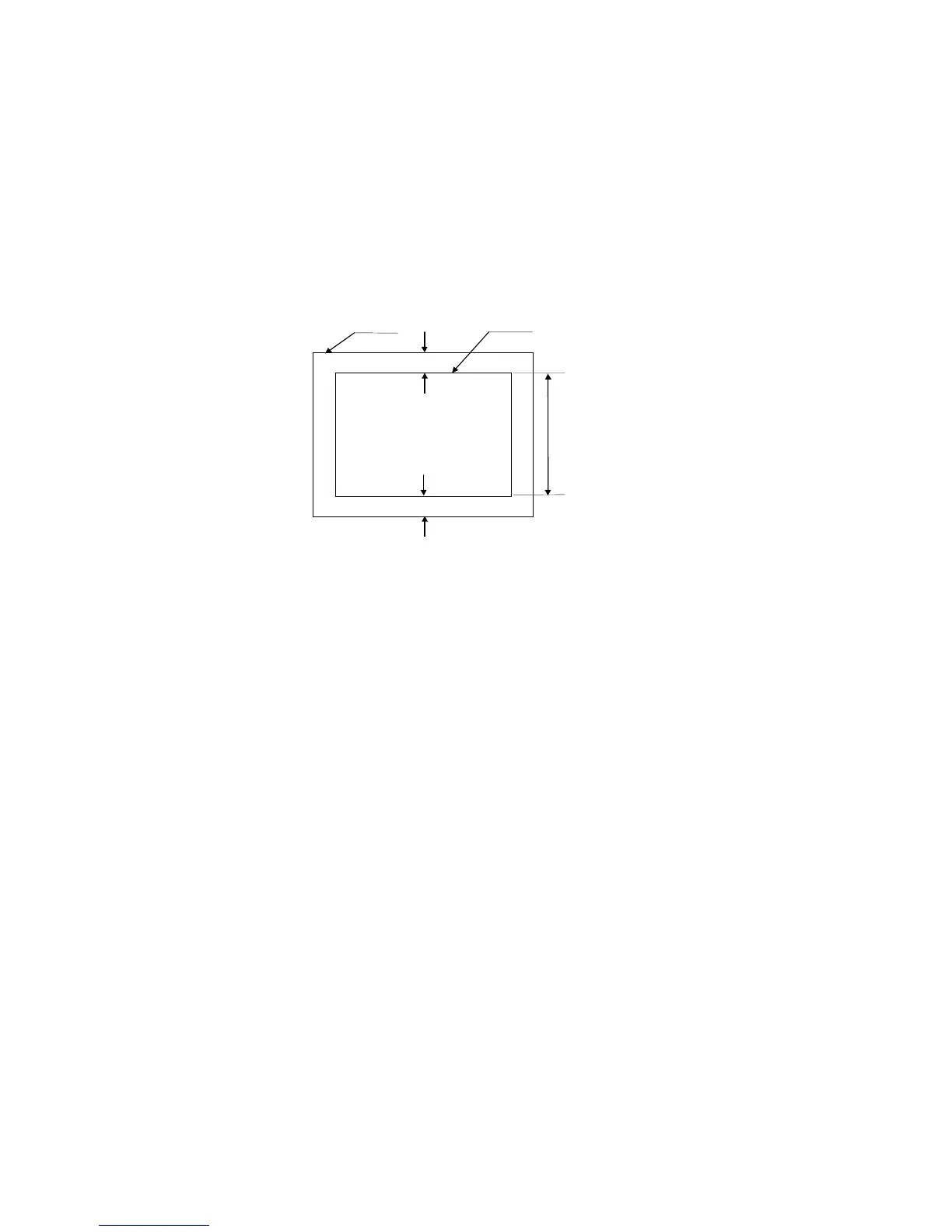
4) Adjust the vertical raster and the space of the edge as listed below by switch. (Fig 1-2 reference)
|Ytop - Ybottom | ≤ 1.0mm
5) Push "RESET" SW.
Y bottom
Y top
Bezel Raster
297
±
3.0mm
Fig 1-2 Vertical Raster Centering







 To Next Page