4. Using On-Screen Menu
64
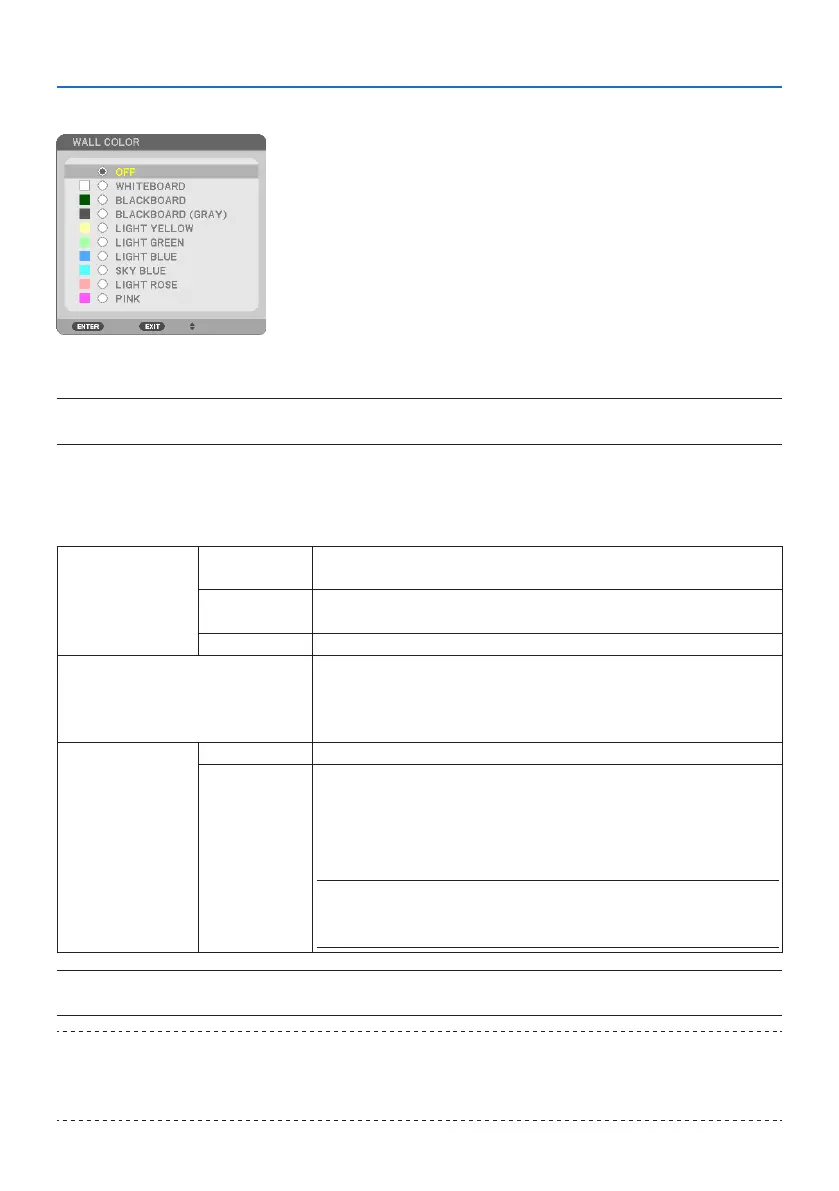
Using the Wall Color Correction [WALL COLOR]
This function allows for quick adaptive color correction in applications where the screen material
is not white.
NOTE:
• Selecting [WHITEBOARD] reduces lamp brightness.
Eco mode selection and brightness adjustment [LIGHT MODE]
Adjusting the energy savings settings and the brightness of each projector in multi-screen projection.
For energy savings settings, see page 35 “3-4 Changing Eco Mode/Checking Energy-Saving Effect”.
ECO MODE OFF The light module luminance (brightness) will be at the setup brightness for
[ADJUST].
ECO By controlling the brightness and fan speed, energy can be saved and motion noise
and the power consumption can be lowered.
LONG LIFE The mode optimizes the service life of the light module.
ADJUST Brightness can be adjusted in 1% increments from 30 to 100%.
When several projectors are used for multi-screen projection, the brightness can be
adjusted individually on each projector.
The adjustment is valid when [ECO MODE] is set to [OFF].
CONSTANT BRIGHTNESS OFF [CONSTANT BRIGHTNESS] mode will be canceled.
ON Maintains the brightness that is in effect at the time [ON] is selected. Unless [OFF] is
selected, the same settings will remain in effect even when the projector is turned
off.
• To re-adjust the brightness, first turn this setting OFF before making further
adjustments.
NOTE:
• [CONSTANT BRIGHTNESS] mode is a function used to maintain the brightness at a
constant level. Color will not be fixed.
NOTE:
• When [CONSTANT BRIGHTNESS] is set to [ON], [ECO MODE] and [ADJUST] cannot be selected.
TIP:
• Brightness normally decreases with use, but by selecting [CONSTANT BRIGHTNESS] mode, the projector automatically adjust the
output based on the projector used time, thereby maintaining a constant brightness throughout the life of the light module.
However, if output is already at its maximum, brightness will decrease with use.



 To Next Page