34
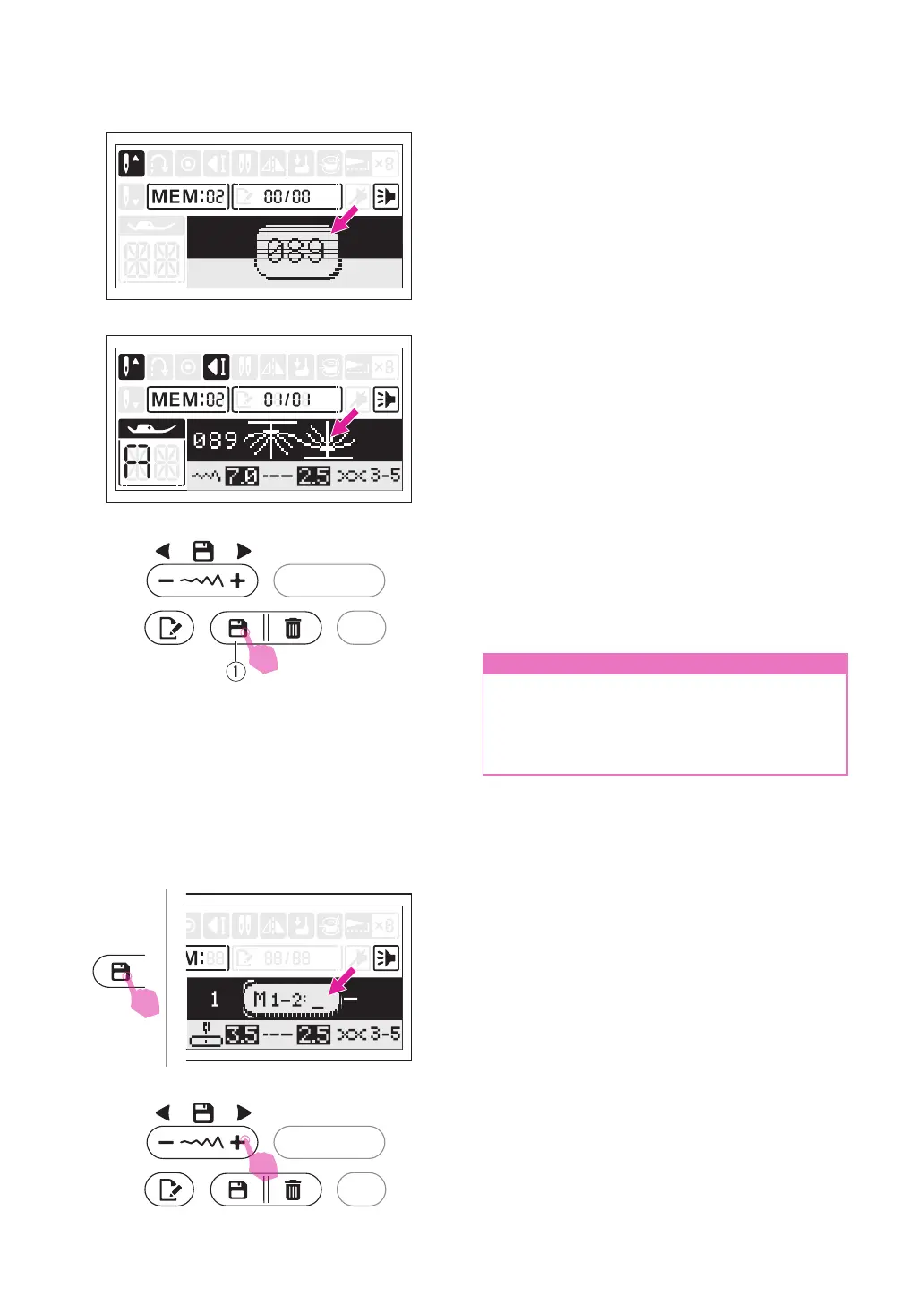
Press the desired stitch number directly. (e.g.
089)
The selected stitch displays on the LCD
screen.
Repeat step several times for stitches
combination.
Up to 40 characters can be combined in one
memory module.
Press the memory button to save the stitches
combination, and return to standard sewing
mode. Recall the memorized stitches and
start to sew.
①
Memory button
n
Attention
The selected stitch will be cleared from the
memory program after closing the machine
if you do not press the memory button
again when you have completed your
selection.
v
Recalling and sewing the
memorized stitches
Press the memory button to enter the memory
mode, and select the stored memory module
(1 or 2) in the cursor ashing.
Scroll stitch width adjustment button "+" or "-"
repeatedly, the LCD will display the stitches
and the settings that have been stored one by
one.


 To Next Page