78
Twin needle
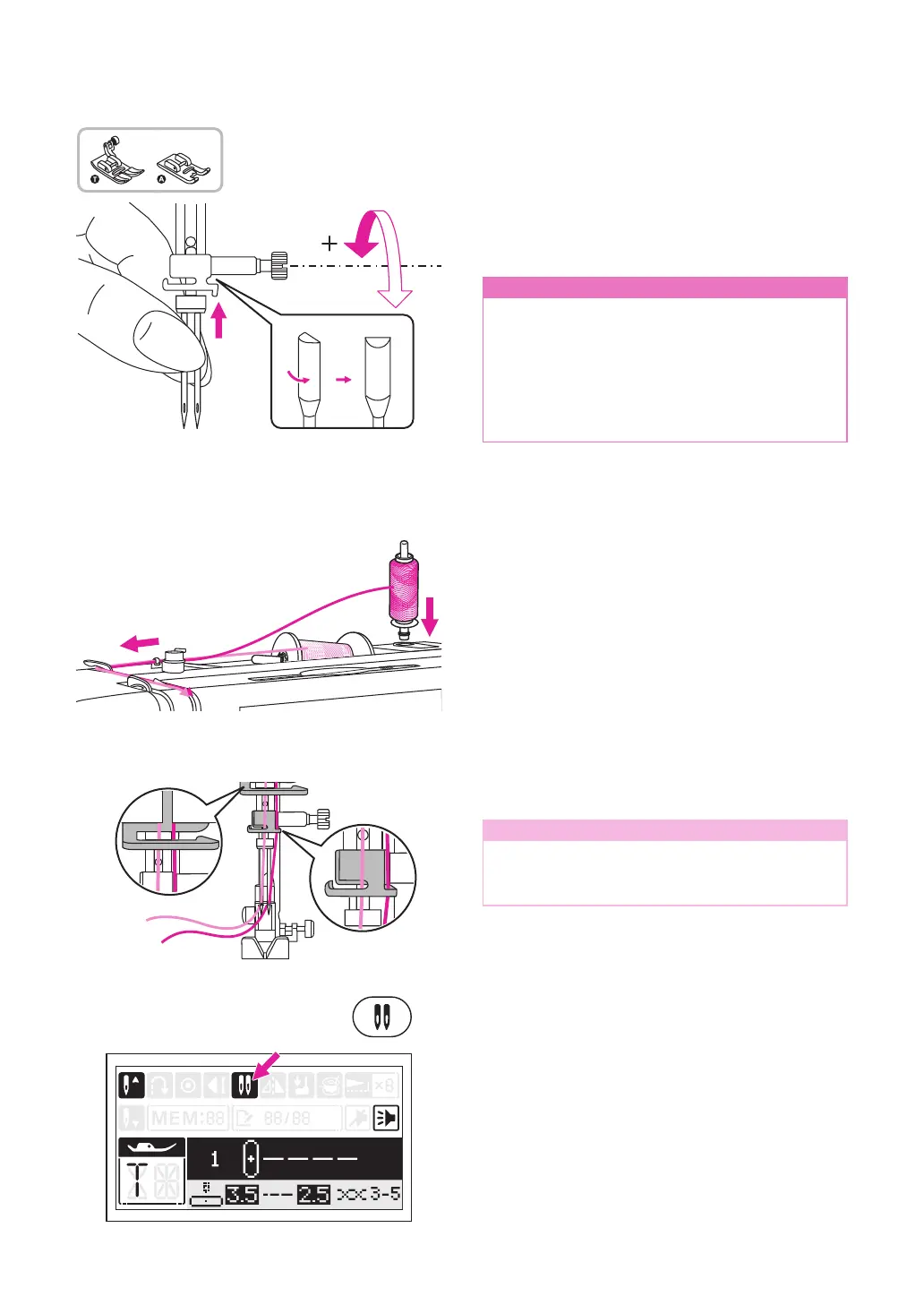
Insert the twin needle. Please refer to
"Replacing the needle" chapter for more
information. (Page 14)
n
Attention
- When using the twin needle, be sure to
select the twin needle setting and attach
the suggested presser foot which screen
appears.
- Use only twin needle assemblies with
max. 2.5mm needle distance, 80/12
needle size.
Follow the instructions for single-needle
threading using the horizontal spool pin.
Thread through the left needle.
Set the second spool pin into the hole on the
top of the machine. Thread through remaining
points, making certain to omit the thread guide
above the needle and pass thread through the
right needle.
Thread each needle separately.
Note
Make sure that the two threads used to
thread the twin needle are of the same
weight. You can use one or two colors.
Select a stitch for twin needle. Please refer to
"Stitch chart" chapter.
Press the twin needle button, the LCD screen
will display the twin needle icon.
The machine automatically reduces the
maximum width for the twin needle sewing.
Using
the all purpose foot or satin stitch foot


 To Next Page