41
Straight stitch
1 2 0003 4
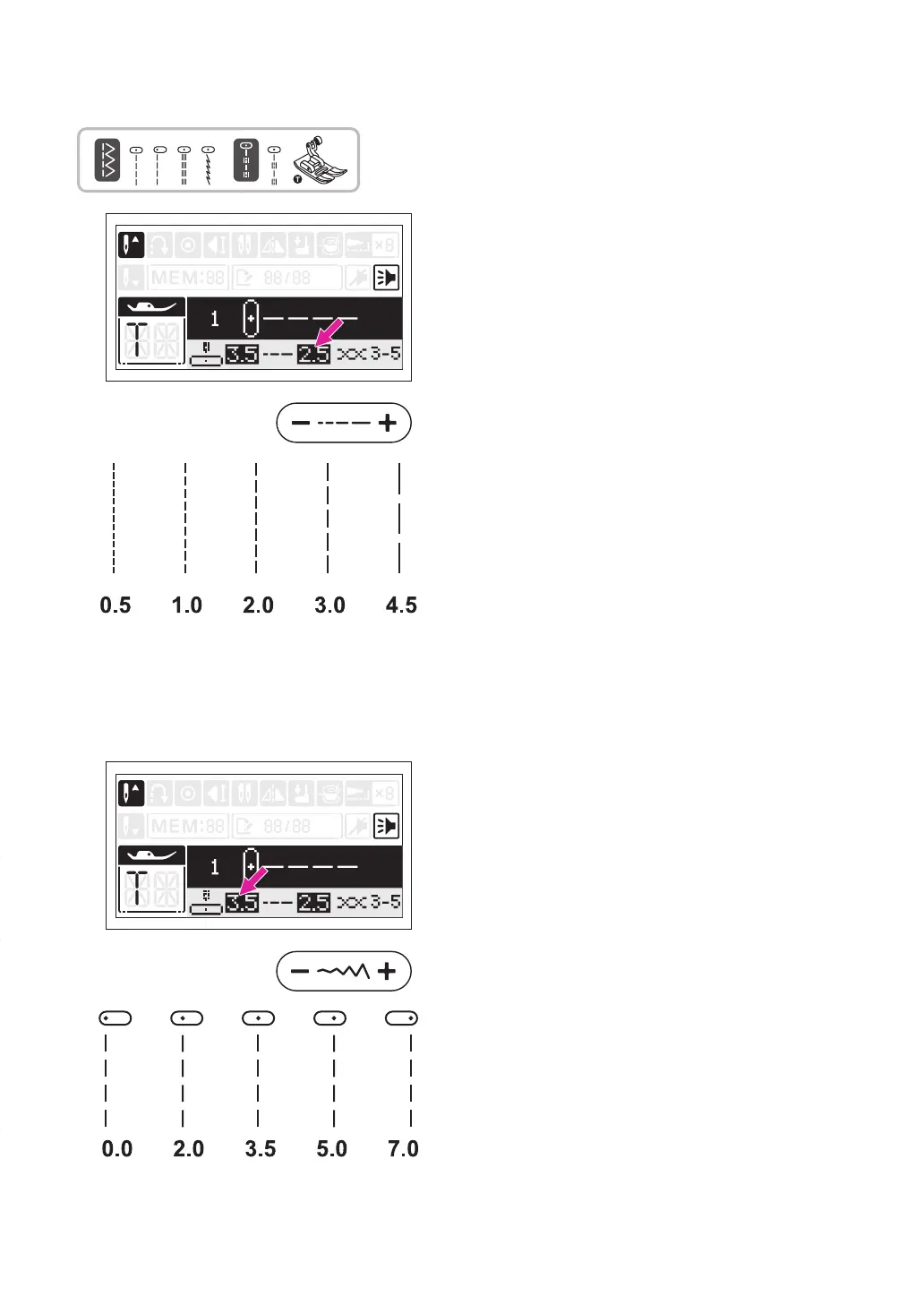
Set the stitch as shown in gure.
The stitch length can be regulated by pressing
the stitch length adjustment button.
For a shorter stitch, press the "-" button. For a
longer stitch, press the "+" button.
Generally speaking, the thicker the fabric,
thread and needle, the longer the stitch length
should be.
Using
the all purpose foot.
v
Changing the needle position
The needle position for straight stitches can
be changed by adjusting the stitch width
adjustment button.
The pre-set position is "3.5", center position.
Press the stitch width adjustment button "+",
the needle position will be moved to the right.
Press the stitch width adjustment button "-",
the needle position will be moved to the left.


 To Next Page