69
51
Free motion darning, embroidery and
monogramming
v
Preparation for embroidering
and monogramming
* Embroidery hoop is not included with the
machine.
Using
the darning/embroidery foot.
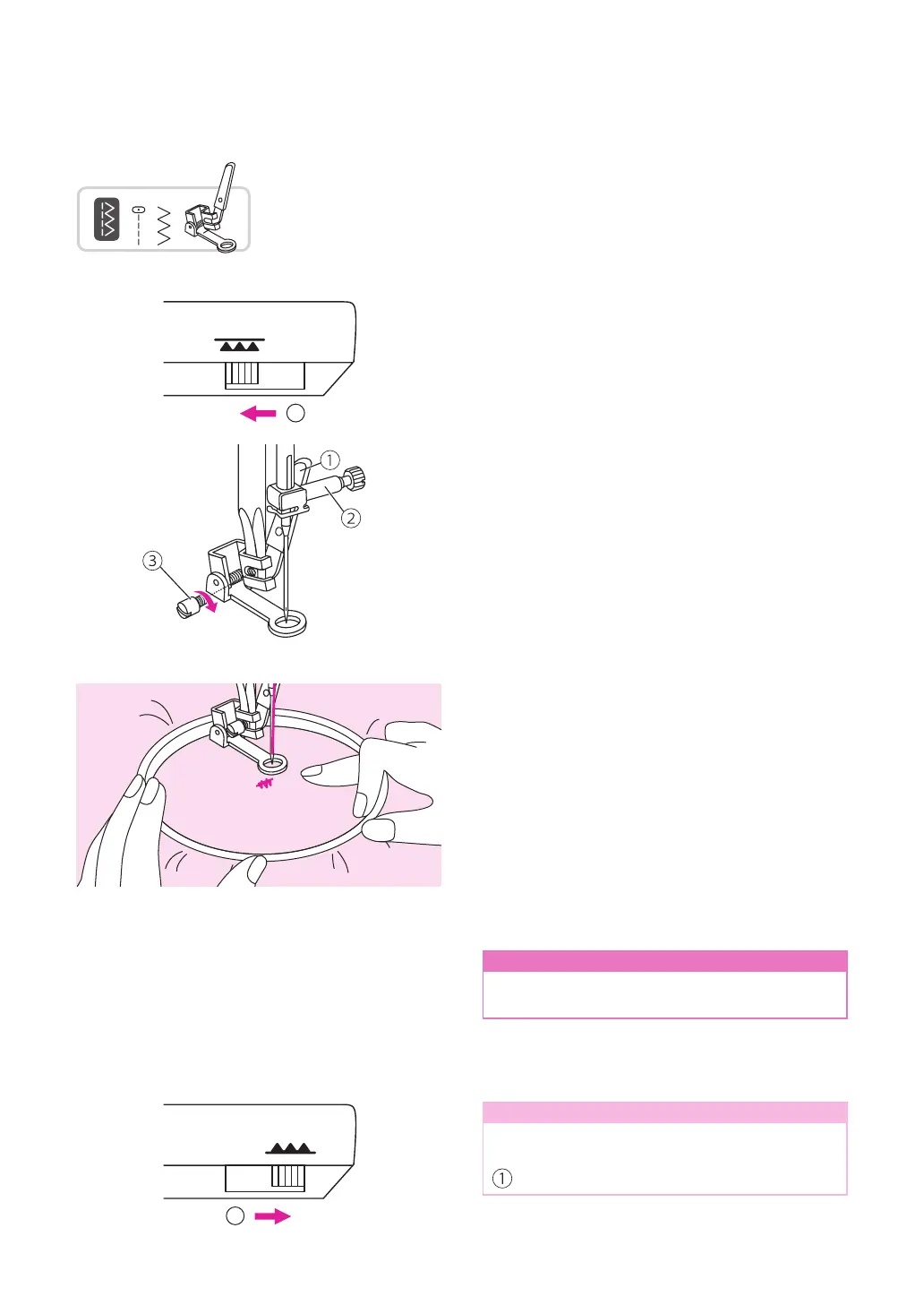
Move the drop feed lever to lower the feed
dogs.
①
Lowered position
Remove the presser foot holder and attach
the darning/embroidery foot. The lever should
be behind the needle clamp screw. Press the
darning/embroidery foot on rmly from behind
with your index nger and tighten the screw.
①
Lever
②
Needle clamp screw
③
Screw
Draw the desired lettering or design on the
surface of the fabric.
Stretch the fabric between the embroidery
hoop as rmly as possible.
Place the fabric under the needle. Make sure
the presser foot bar is down to its lowest
position.
Turn the handwheel towards you to bring up
the bobbin thread through the fabric. Sew a
few securing stitches at the starting point.
Hold the hoop with thumb and forenger of
both hands while pressing the material with
the middle and third nger and supporting the
outside of the hoop with your small nger.
n
Attention
Keep ngers away from moving parts,
especially needles.
Note
When you nish the work, move the drop
feed lever to raise the feed dogs.
Raised position
1
1


 To Next Page