© by N&W GLOBAL VENDING S.p.A. 32 10 2009 3325 - 00
dripping
You can dene the wait time (you can programme it from
0 to 2000 hundredths of a second) from the end of deliv-
ery to the closure of the shift arm for every single selec-
tion to leave the tubes enough time to get empty.
selecTion sTaTus
You can dene for every single selection key whether to
enable it or not.
accessories
For every single accessory:
- sugar on/off
- stirrer on/off
- cup on/off
- sugar in the cup (dose in gr.)
you can decide whether to add it to a selection or not.
compleTe selecTion TesT
Use this function to dispense the following for every sin-
gle selection when the door is open and without inserting
the required amount:
- complete selection
- water only
- powder only
- no accessory (cup, sugar and stirrer)
- accessories only
producT code
Use this function to assign a 16-alphanumeric character
identication code to every single selection for the pur-
pose of processing statistics.
gloBal powder doses
Use this function to regulate the powder dose of every
single ingredient motor relative to several selections at
the same time (function still to be implemented).
pump caliBraTion
The speed and ow rate of direct current pumps can be
controlled electronically.
To adjust the control device to the actual ow rate, cali-
brate the pumps, i.e. measure the actual ow rate at a
given speed.
The operation is performed at the factory, but you may
have to repeat it for various reasons.
After having found out the mixer where to act and con-
rmed the type of nozzles in use, the pump is operated
for a well-dened time at the minimum and maximum
speed by means of the corresponding menu. The system
can optimise the dispensing speed by storing the water
quantities you get.
ingredienT moTor caliBraTion
To convert the product dose values properly, set up the
ow rate value of every single ingredient motor in gr/s to
calculate the grams to be dispensed.
keyBoard
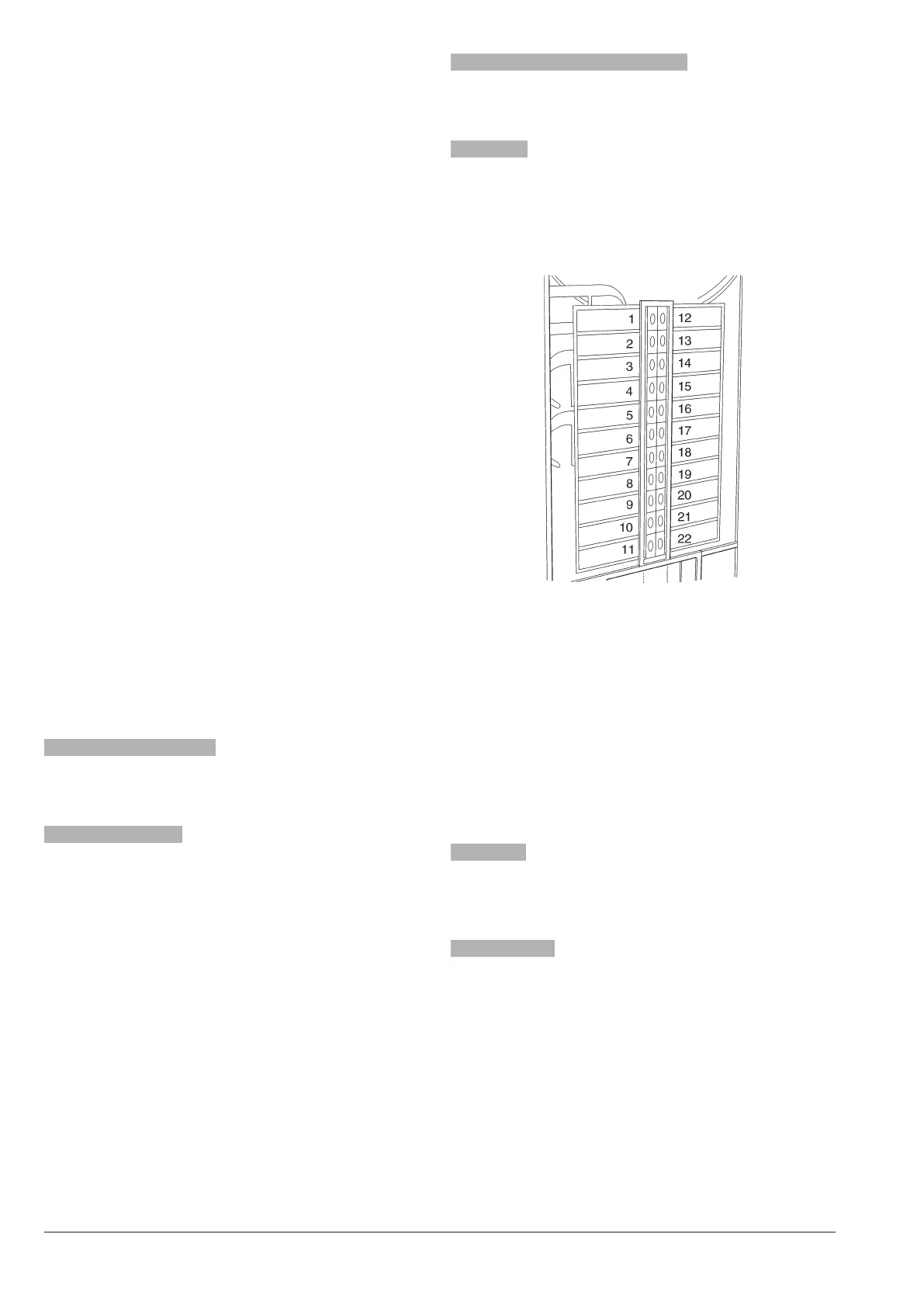
key <---> sel
Use this function to vary the order of the selections as-
sociated with the keyboard and dened by the layout you
have set up.
The display shows the list of available selections in
sequence. Press the destination key to store the asso-
ciation.
douBle key
Use this function to join 2 keys arranged one next to the
other one vertically into one single key to use a double-
size key for one single selection.
selecTion no. check
You can check the selection number associated with a
key.
no sugar
Use this function to set up all sugarless selections made
available by default (ON).
Function valid on some models only.
decaff cycle
This function acts on instant coee-based selections.
Selections are identied in the layout and their identica-
tion can not be changed.
If you enable this function in all coee-based selections
(if made available), powder dispensing occurs before
water dispensing.
However, you can change this parameter one by one, for
every single instant coee-based selection.
Fig. 29











 To Next Page