8
© by NECTA VENDING SOLUTIONS SpA 0407 239 - 00
LOADING PRODUCTS
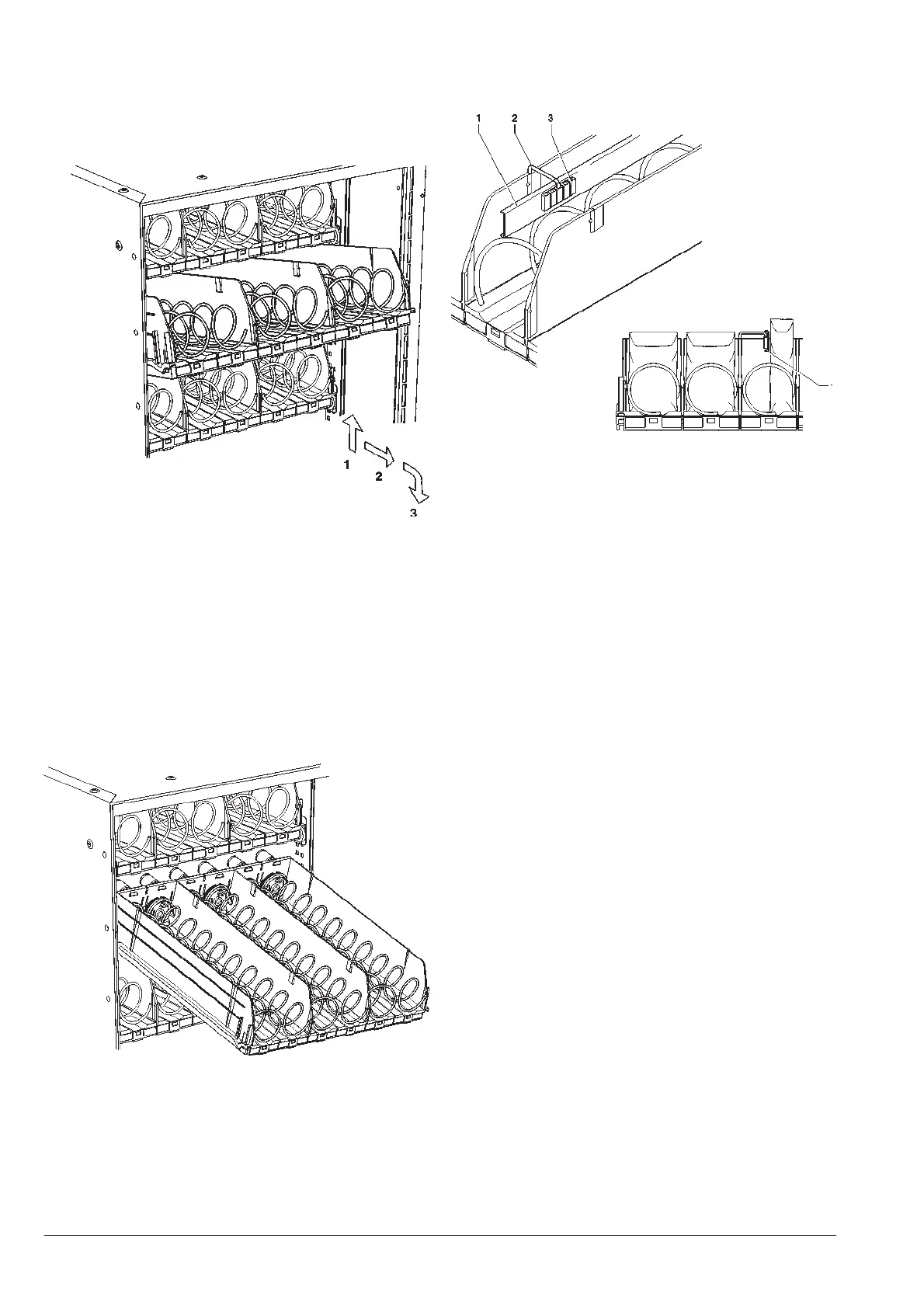
- Remove one tray at a time, lifting it and pulling it past
the retaining slide. The upper trays will tilt downwards
to facilitate loading.
Very thin products can be dispensed only using the special
spacer.
Fig. 11
- Load all products starting at the front, without inserting
products with a temperature above 30°C, ensuring that
all spaces are filled. The bottom of the product must
rest at the bottom of the compartment with the label
facing the window so that it can be identified.
All products should load easily, do not insert products
which are too large for the space.
- Push in the trays completely, ensuring that they go
past the retaining slide.
Fig. 12
Fig. 10
The sealed end of bags may be caught under the spiral,
preventing the free fall of the product.
Fold the seal towards the front of the unit and upwards
before inserting the product in the spiral.
More fragile products must be placed on the lower
trays to prevent damage when they drop.
START-UP
Each time the machine is started the number of trays
connected to the system are checked by the electronic
controls and indicated on the display.
Also the number of actually connected compartments is
checked.
The display will indicate in a sequence information regard-
ing:
- software version
- presence of dispensing detection photocells
- number of trays and compartments
- presence of dispensing compartment lock device
- internal sensor temperature.
NOISE LEVEL
The continuous, weighted equivalent acoustic pressure
level is below 70 dB.
1 - Product spacer
2 - Brackets
3 - Adjustment notches











 To Next Page