© by NECTA VENDING SOLUTIONS SpA
56
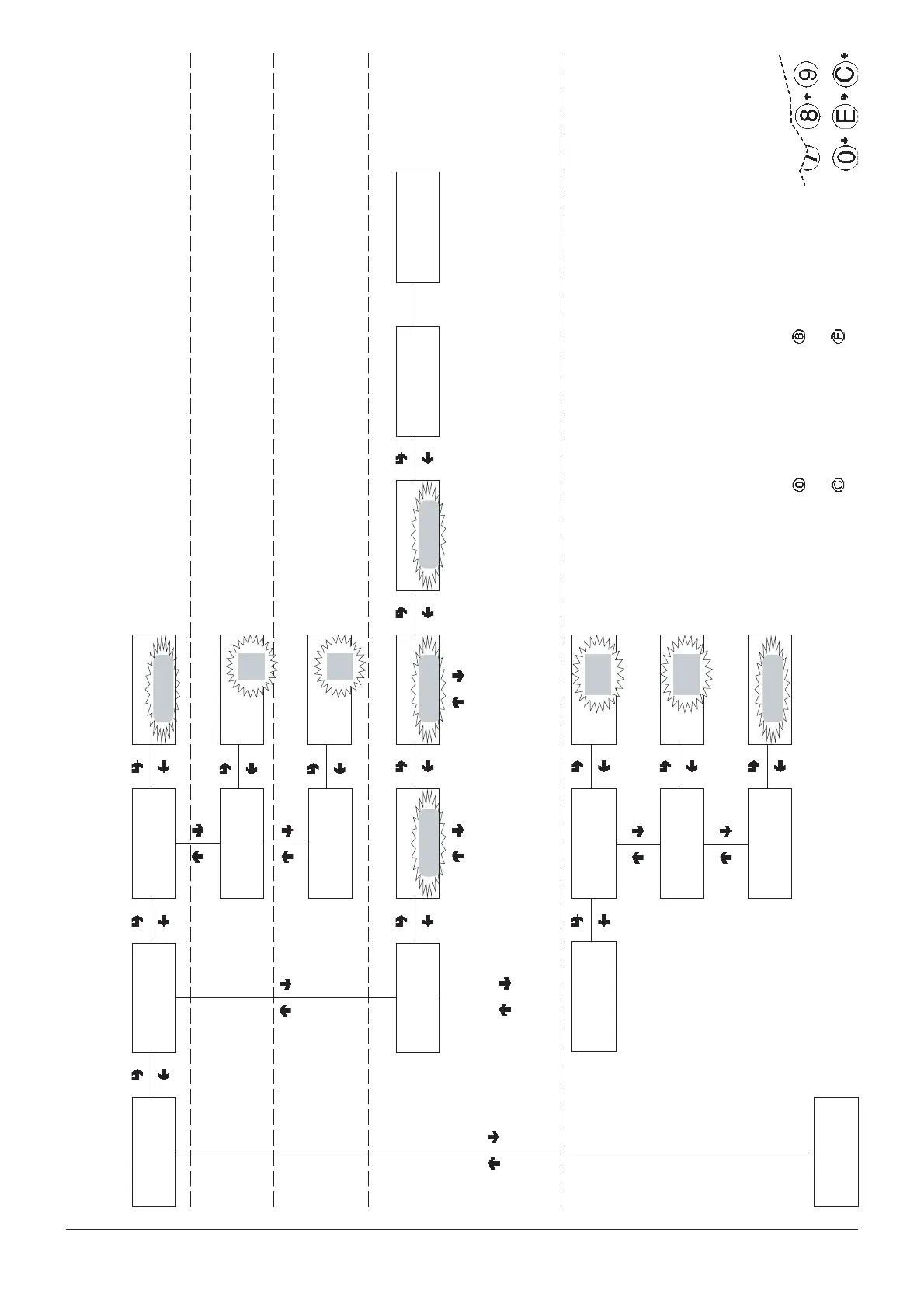
Technician menu - Summary
0407 239 - 00
CONFIRM DATA/
CONFIRM FUNCTION
DELETE DATA/
EXIT FUNCTION
PREVIOUS FUNCTION/
DECREASE DATA UNIT (-1)
NEXT FUNCTION/
INCREASE DATA UNIT (+1)
TECH >5
Miscellaneous
TECH >5.1
Machine info
TECH 5.1.1
Installation date
Date:##/##/## d#
Confirm?
TECH>5.1.2
Prog. machine code
TECH>5.2
Initialise DB
Initialise DB Initialise DB
Working...
When confirming, the
current date will be set as
the installation date
8-digit number identifying the
machine
TECH>5.1.3
Prog. operator code
Prog. machine code
Code:= . ## +
####
Prog. operator code
Code:= . ## +
####
6-digit number to identify
groups of vending machines
Confirm?
Start
Initialise databases
Country
Country name
Language
Language
Countries:
Italy
Great Britain
France - Spain
Brazil - Poland
Belgium
Languages:
Italian
English
French - Spanish
Portuguese
Flemish
TECH>5.3
EVADTS
TECH>5.3.1
Pass Code
Pass Code
Code
######
TECH>5.3.2
Security Code
Security Code
Code
######
TECH>5.3.3
Connection
Wait please
TECH>6
GSM











 To Next Page