45
6.3.1 Setting Current and Reading the Current Display
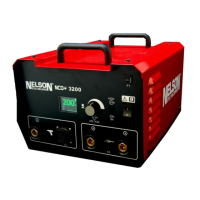
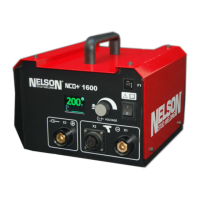
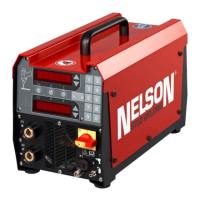
The current setting is the current setting during a weld, and can be viewed in the
front panel’s upper display. It can be changed using Up/ Down arrow keys to the
right of the current display in one (1) amp increments. As each of these keys are
pressed, the current setting will in‐ crease or decrease at a faster rate.
After each weld, actual current and time will be displayed briefly be‐ fore the set
values are displayed again.
If the display shows an actual weld time is much longer than programmed, e.g., the
sum of the front panel time and F2 (short circuit on‐time), a cold plunge may have
occurred that can result in a bad weld. If this condition persists, it is recommended
to do a gun calibration to set the F31 value, and check the physical condition of the
gun for any causes of preventing a normal drop. If the actual weld time is less than
the front panel time, it means the arc shorted early, indicating a potential improper
gun lift setup.
When the display shows WAIT when the trigger is pulled, it means the rated duty
cycle is exceeded during operation. It is advised to check the value of F2 and
possibly reduce the value of F2 to reduce the on‐time and increase the studs per
minute without cold plunge.
In normal operating modes, the desired setting and the actual current will be the
same. In this situation the display does not change during or after a weld.
However, in conditions where it is not possible for the power source to deliver the
desired current, a warning light will light on the front panel display. This typically
occurs when using high cur‐ rents with small or excessively long weld cables.
6.3.2 Setting the Time and Reading the Time Display
The time setting is displayed on the front panel lower display. It can be changed
using Up/Down arrow keys to the right of the time display in one (1) millisecond
(0.001 second) increments. As each of these keys reinput power pressed, the time
setting will increase or decrease at a faster rate. The time display is used to display
both the desired time setting and the actual weld time.
In normal operating modes, the desired setting and the actual weld time will be the
same. When this is the case, the display does not change during or after a weld.
However, if an error condition occurs, the proper error code will be displayed on
the front panel display. This will typically happen if a weld is aborted early.


 To Next Page