47
and the actual drop time is saved in F31.
6.3.5 Weld Parameter Presets
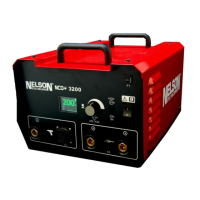
The power source has ten available preset configurations. Each of the-
se is
assigned a time and current setting for commonly welded stud
sizes. To select a
preset, simply press key 1, 2, 3, 4, 5, 6, 7, 8, 9, 0. When
a preset is selected, the
time and current are displayed on the front panel, and the LED on the selected
preset key lights.
Nelweld users are not restricted to pre-programmed presets but may
save more
usable weld settings. To do so, first select the desired time
and current settings
using the corresponding Up/Down arrow. Then
press and hold the desired preset
key for 4 seconds. The preset values
will be replaced by the desired custom
values. When the orange LED
of the preset button being pressed turns ON, the
selected preset has
been successfully programmed.
6.3.6 Recommended Weld Parameters
The values specified in the tables and diagrams respectively must be
seen
merely as guide values, which were achieved under optimized
welding
conditions.
The best possible weld parameters must always be determined with
proper
attention to factors such as the material and surface quality of
the workpiece,
plate thickness, welding position, stud type, stud dimensions, etc. in trial welds.
Attention must be paid to the fact that the trial welds are for the most
part
equivalent to the real conditions in the current production process.
In obtaining the best welding result, the electrical and mechanical weld
parameters
must be preceisely adjusted to the respective welding task.
Upon suspicion of faulty
welds the settings on the welding unit and the


 To Next Page