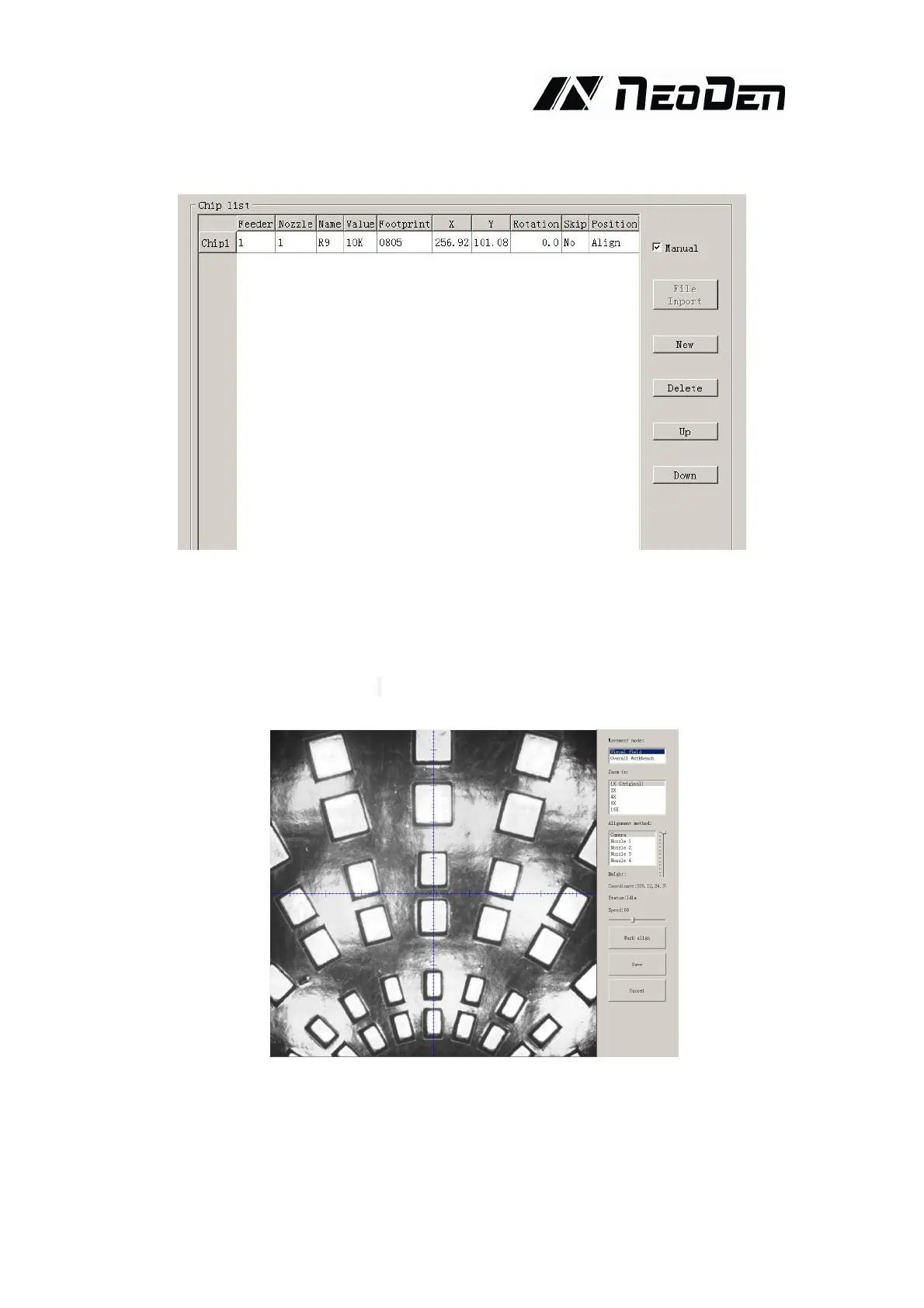
4.1.4.Chip list settings
Function: to display the sequence, footprint and other information of components. There are two
ways to add these information: manual programming and import mounting file.
Operation:
(1) Manual programming: firstly, check the box of manual programming. There is a sample line
of the first component, please modify this line firstly.
Find and confirm one component’s coordinate by using the function of “Movement Mode”-Click
Fig. 4-1,
one component has been found


 To Next Page