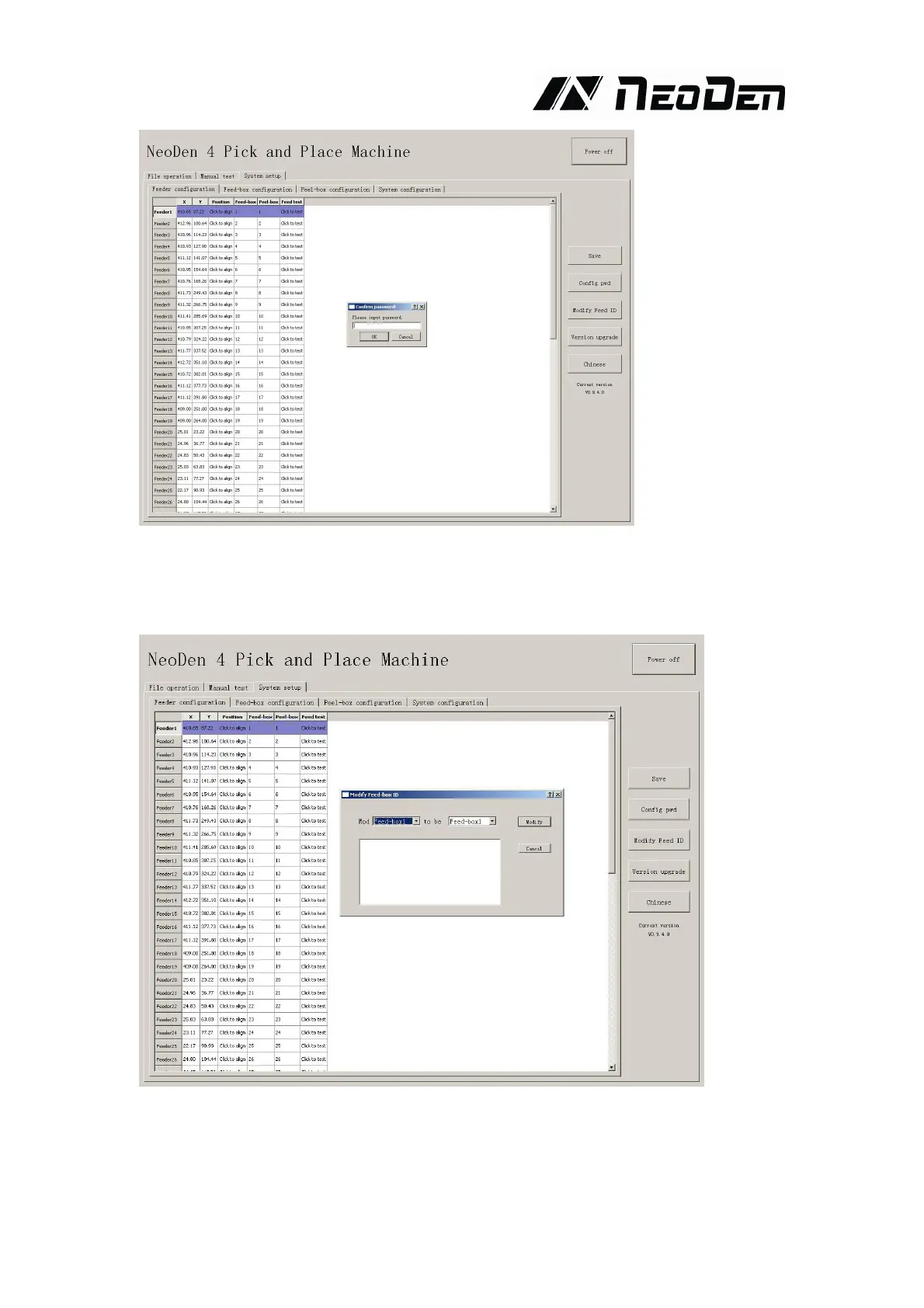
As pic show, function description of button on right side
Save configuration: click it for saving after modify the parameters
Modify password: click it, put into the password, then finish change the fourth page which is
also the System interface.
Set up feeder ID: click and show as pic above. This is for modifying of feed-box ID.
Feed-box is different from peel-box, feed-box ID is saved in feed-box itself . E.g.: Feeder of
feed-box 1, it will be identified feed-box 1 no matter which port matched. So we will mark it.
New feed-box default ID are all No.50, it need you to change them here by yourselves.


 To Next Page