5.3 Installer Registration
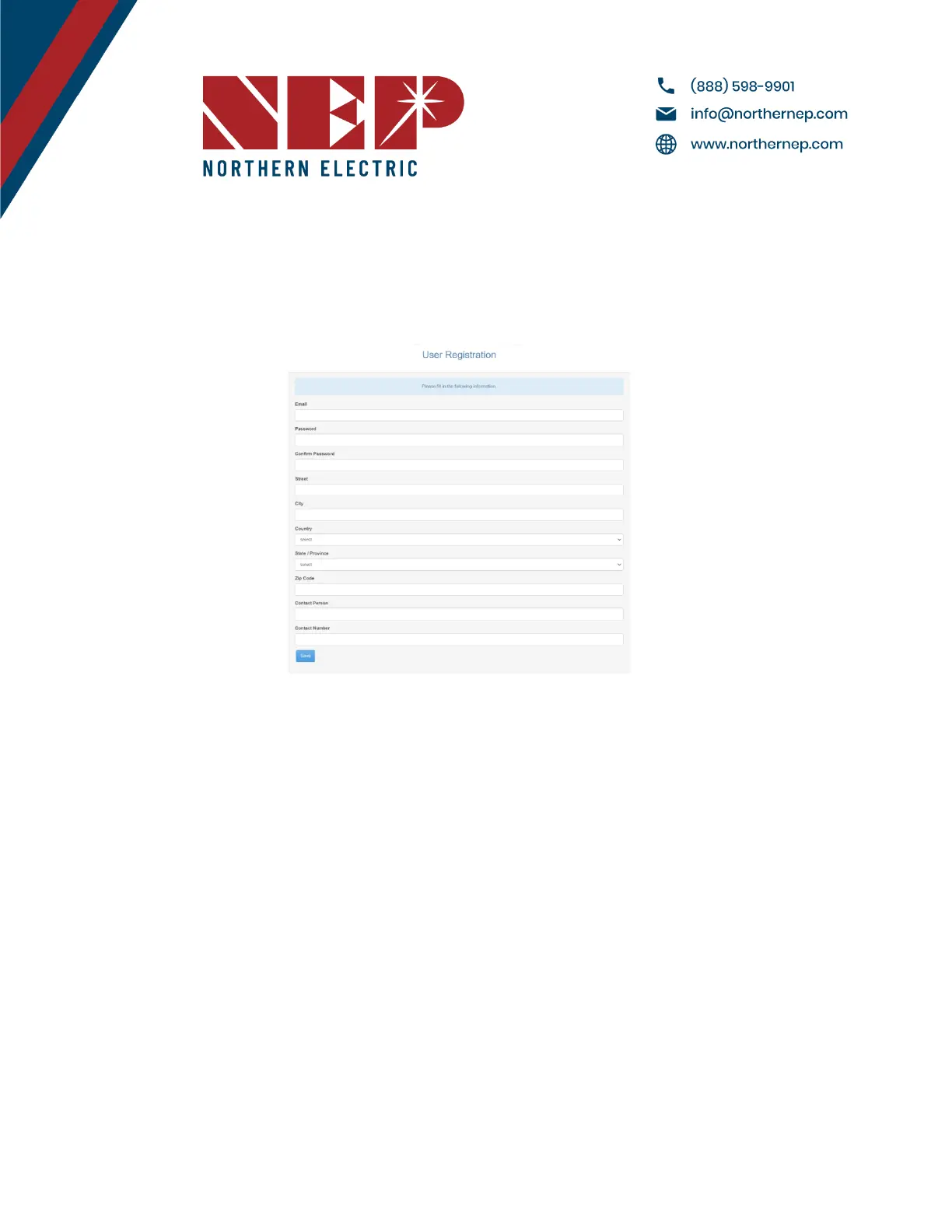
● If you are new to using NEP products, please visit our registration page at
https://user.nepviewer.com/pv_manager/register.php?lang=en to create an account for yourself or your
company. We recommend providing as much detail as possible to help us better understand your needs.
● Once you have registered, please contact NEP Support via email at support@northernep.com or by calling
(888) 598-9901 to have your account upgraded to an installer account. This will allow you to access additional
features and resources to help you better manage your NEP products.
.
5.4 Homeowner Registration
● To start using NEP products, homeowners can register for an account by visiting
https://user.nepviewer.com/pv_manager/register.php?lang=en. Once they have created their account, they
can begin to enjoy the benefits of NEP's solar products.
5.5 Pre-Commissioning Setup
● Begin by connecting the BDG-256 gateway to the internet using one of the three methods outlined in the
"BDG-256 Quick Installation Guide."
● Once connected, enter the serial numbers of the inverters using one of the three methods described in the
same guide.
Note: It is recommended to complete steps 3.1 and 3.2 in a warehouse or homeowner's garage using a
standard 120V outlet before installing the gateway onto the home's 240V wiring. Only perform Step 6.4b prior
to arriving at the job site if using the NEP range extender.
Modified 04/13/2023 by JMB


 To Next Page