5.6 Create a Site on NEP Website
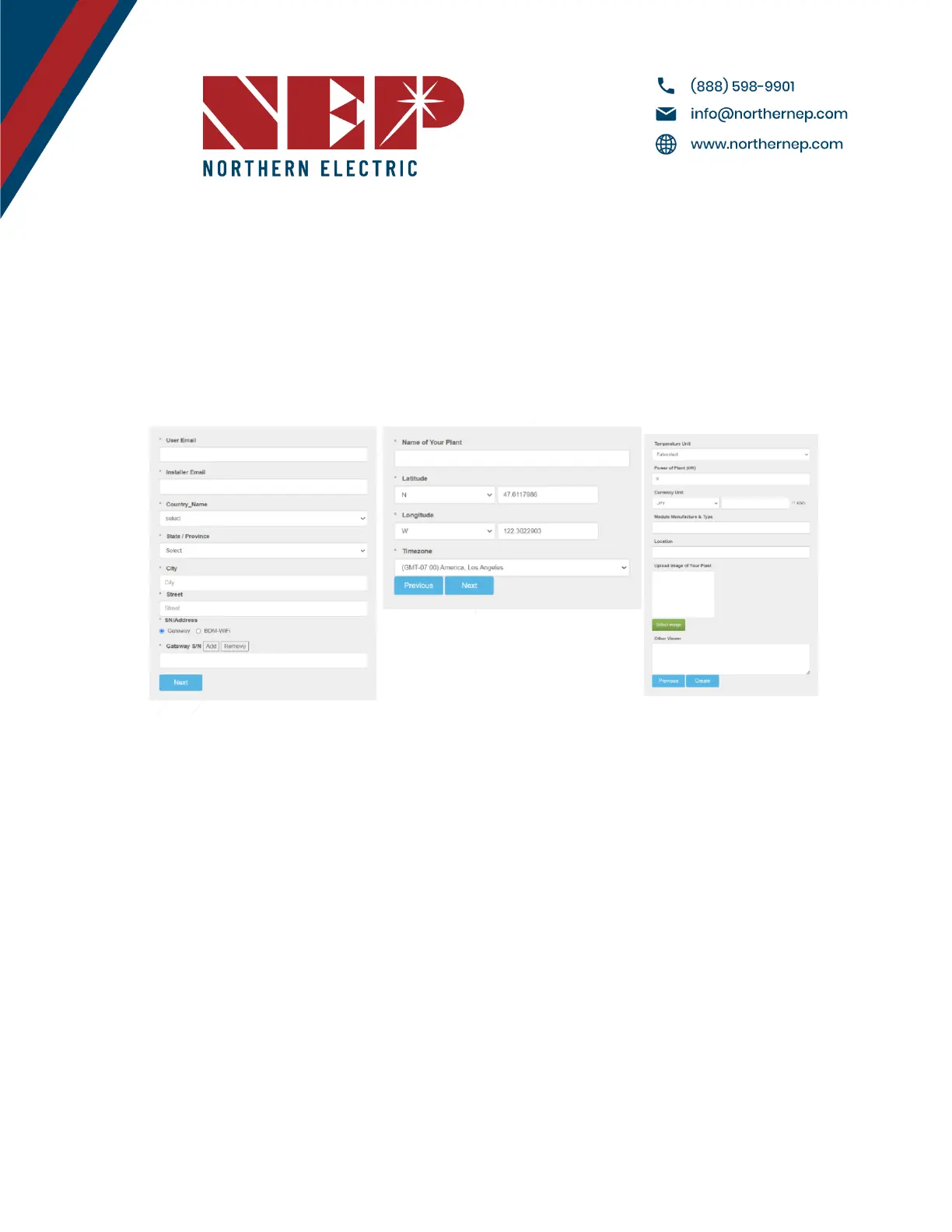
● Access your installer account on the NEP website at https://user.nepviewer.com/pv_manager/login.php using
your registered email and log in to your account. Then, click on the "Add Site" button to create a new site.
● Fill out all the necessary fields in the site creator, including the serial number of the gateway, which can be
found on the top-left of the gateway bezel or by navigating to Menu > Software on the gateway. If you have
multiple gateway serial numbers, click the "Add" button above the serial number field to add more.
● Provide a name for the site and enter its accurate coordinates to receive precise weather data on the following
page
● On the last page of the site creator, provide any additional information that you deem necessary and then click
the "Create Site" button to create the site.
Modified 04/13/2023 by JMB


 To Next Page