Saturn B – Chapter 3. Configuration 3.9
Configuring Ports * Cont’d
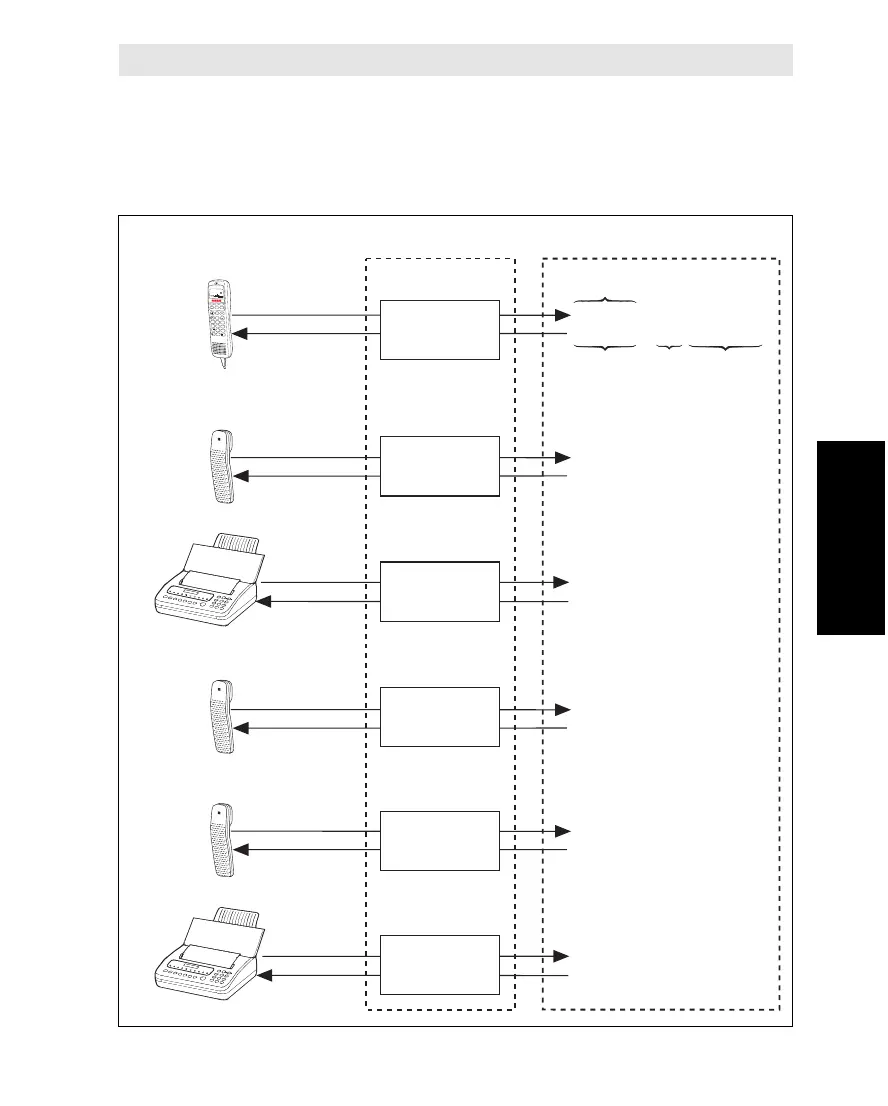
Setup (Example with all Ports Configured)
Saturn B is delivered with the Handset, TEL.1, TEL.2 and PC connectors
configured with default end terminal Originating & Destination Ids. The TEL.3
through TEL.5 connectors must be configured at the installation of the equip-
ment. Connectors TEL.1 through 5 may be reconfigured later as required.
Display
Handset
Telephone
Calls (examples):End terminals:
(Originating Id)
(Destination Id)
(OI =1)
(DI = 1) + 873 682420510
(OI = 2)
(DI = 2) + 873 682420511
(OI = 17)
(DI = 17) + 873 682420520
(OI = 3)
(DI = 3) + 873 682420512
(OI = 4)
(DI = 4) + 873 682420513
(OI = 18)
(DI = 18) + 873 682420521
(IMN)
(Originating Id)
Configuring ports:
(Oc.
Reg.)
Telefax
Telefax
7
4
1
3
6
9
D
E
L
2
5
8
0
DIAL 00+INTL
TEL. NO.+
ON
SHIFT
HANDSET
(ORGTERMID=1)
TEL.1
(ORGTERMID=2)
TEL.3
(ORGTERMID=3)
TEL.4
(ORGTERMID=4)
TEL.5
(ORGTERMID=18)
Telephone
Telephone
TEL.2
(ORGTERMID=17)
Configuring Ports Cont’d



 To Next Page