Version 1.0 en Prodigio service manual
25
OPERATION
If pairing has failed
• Make sure the smartphone or tablet is in close enough proximity to the coffee
machine.
• Charge up the smartphone or tablet before pairing. Its smart power management
may turn off Bluetooth
®
if the battery level is too low.
• Make sure not to turn on any microwave close to the machine during pairing.
• Maintain a sufficient distance to devices that can interfere with the pairing process
such as a Wi-Fi/WLAN router.
Special advice for service technician
If a customer’s coffee machine was paired in the repair center (e.g. for troubleshooting):
• Reset settings after pairing.
• Reset settings of Nespresso App after use and before sending back the machine to
the customer. Otherwise it is not possible for the customer to pair the coffee
machine.
• Advice customer to pair the coffee machine again at home and to check and adjust
the settings.
Multiple devices can
be connected to the
Prodigio coffee machine
only if using a unique
Nespresso club members
number (NNSA account).
8) Ensure the smartphone or tablet is
placed next to the coffee machine dur-
ing pairing.
9) Pairing takes place automatically.
10) When the pairing is completed, the
Nespresso logo on the front of the cof-
fee machine will blink 3 times.
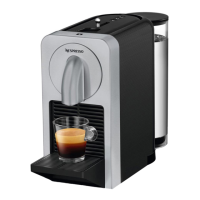
The Bluetooth
®
mod-
ule of the coffee
machine is situated at the
top, beside the coffee but-
tons.




 To Next Page