Prodigio service manual Version 1.0 en
22
OPERATION
4.3.2 Machine modes of milk frother
The following table helps to understand the operating modes of the milk frother:
4.4 Nespresso App (application software)
The MMI PCB of the coffee machine is equipped with a Bluetooth
®
LE (low energy)
module that can establish a wireless connection to a smartphone or tablet.
A special application software (app) is necessary to enable the data exchange between
the devices.
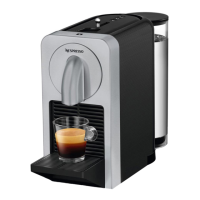
The new, official Nespresso App extends the functionality of the Prodigio coffee machine
with:
• Capsule stock management
- Out-of-stock notification
- Automatic counter update after capsule purchase
• Remote and programmed brewing
• Alerts notifications
- Capsule container full
- Capsule blocked
- Water tank empty
• Maintenance notifications
- Descaling
- Machine Errors
• Tutorials
4.4.1 Prerequisites
Smartphone / tablet
Compatible smartphones or tablets with Apple iOS 8.1 or newer:
- iPhone 4S and newer
- iPad 3rd Generation and newer
- iPad mini
- iPod touch 5th Generation and newer
Compatible smartphones or tablets with Android operating system version 5.0 or newer
and Bluetooth
®
Smart functionality:
- Galaxy S3 / S4 / S4 mini/ S5
- Nexus 5 / 6
Machine mode Enter mode Actions Exit mode
1 Hot milk / milk
froth preparation
Press start button briefly
Start button lights up red.
Milk is heated and mixed.
Automatic switch-off
after preparation
2 Cold milk froth
preparation
Keep start button pressed
for approx. 2 sec
Start button lights up blue.
Milk is mixed only.
Automatic switch-off
after preparation
Check compatibility
of other smartphones
or tablets on this website:
www.nespresso.com/prodigio




 To Next Page