Mill Functions
Newall Measurement Systems
R
29
MILL FUNCTIONS
EXAMPLE:
The keystrokes for entering the following
arc are shown.
ARC -- XY
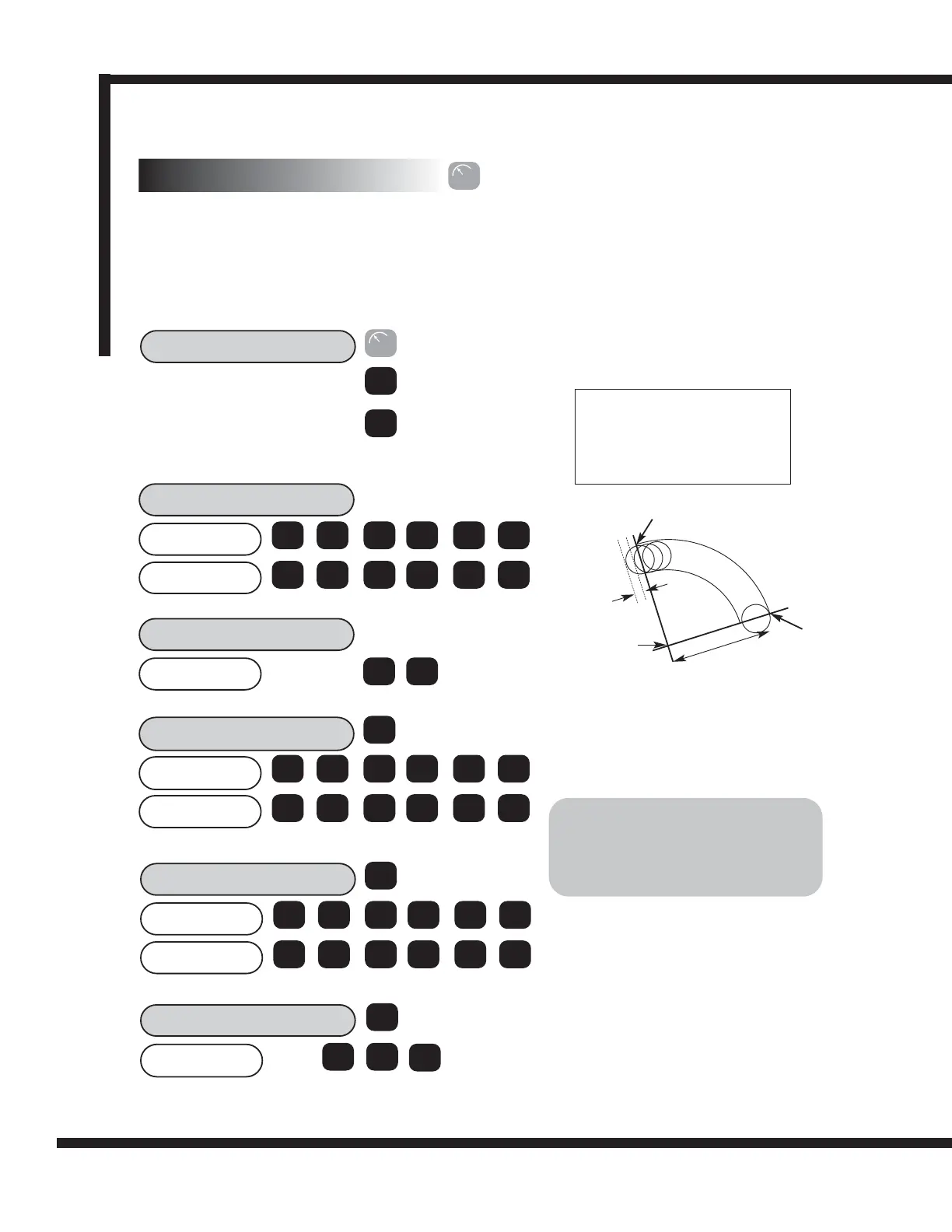
The DP8 calculates positions for rough machining an arc or radius. The message display prompts the user
for various parameters needed to do the calculations. Once the calculations are complete, the axis displays
show the co-ordinates, which are point-to-point positions along the arc. The operator moves to Zero for each
point position.
It is possible to machine along the inside or outside of the arc. Arc Contouring can be used in three planes:
XY, XZ or YZ. The vertical planes (XZ, YZ) are only available if using a 3-axes DP8 Mill.
The ARC function assumes an arc of 180°
or less. For a 180
o
arc, the routine will cal-
culate the arc in a counter-clockwise direc-
tion, assuming standard XYZ movement.
2.3700
CENTRE?
2
ent
4.0000
RADIUS?
4
ent
Options: ARC - XY
ARC - XZ
ARC - Y Z
>
ent
Scroll through available options using the
arrow key and select desired plane with
[ENT].
1.4900
X
Y
. 3 7
1
ent
. 4 9
1.3200
S T. PT?
1
ent
5.3700
X
Y
. 3 2
5
ent
. 3 7
6.2200
END. PT?
6
ent
2.5100
X
Y
. 2 2
2
ent
. 5
1
>
>
Centre: X2.370” Y1.490”
Radius: 4.0”
Start Point: X1.320” Y5.370”
End Point X6.220” Y2.510”
Tool Diameter: 0.5”
Internal/External: Internal (RAD-TOOL)
Maximum Cut: 0.1”
Radius
Centre
Maximum Cut
Start Point
End Point
IMPORTANT!
If the parameters entered in START
POINT and END POINT are inconsistent,
the CENTER and RADIUS figures
override the inconsistent parameters.
0.5000
TOOL DIA
5
ent
>
.
6.2 Arc Contouring
R



 To Next Page