Copyright © 2008 NEXCOM International Co., Ltd. All Rights Reserved.
21
Chapter 3: System Setup
NDiS 161 User Manual
Ch a p t e r 3: Sy S t e m Se t u p
This chapter provides information on how to install the DIMM, CPU and
storage devices.
Removing the Chassis Cover
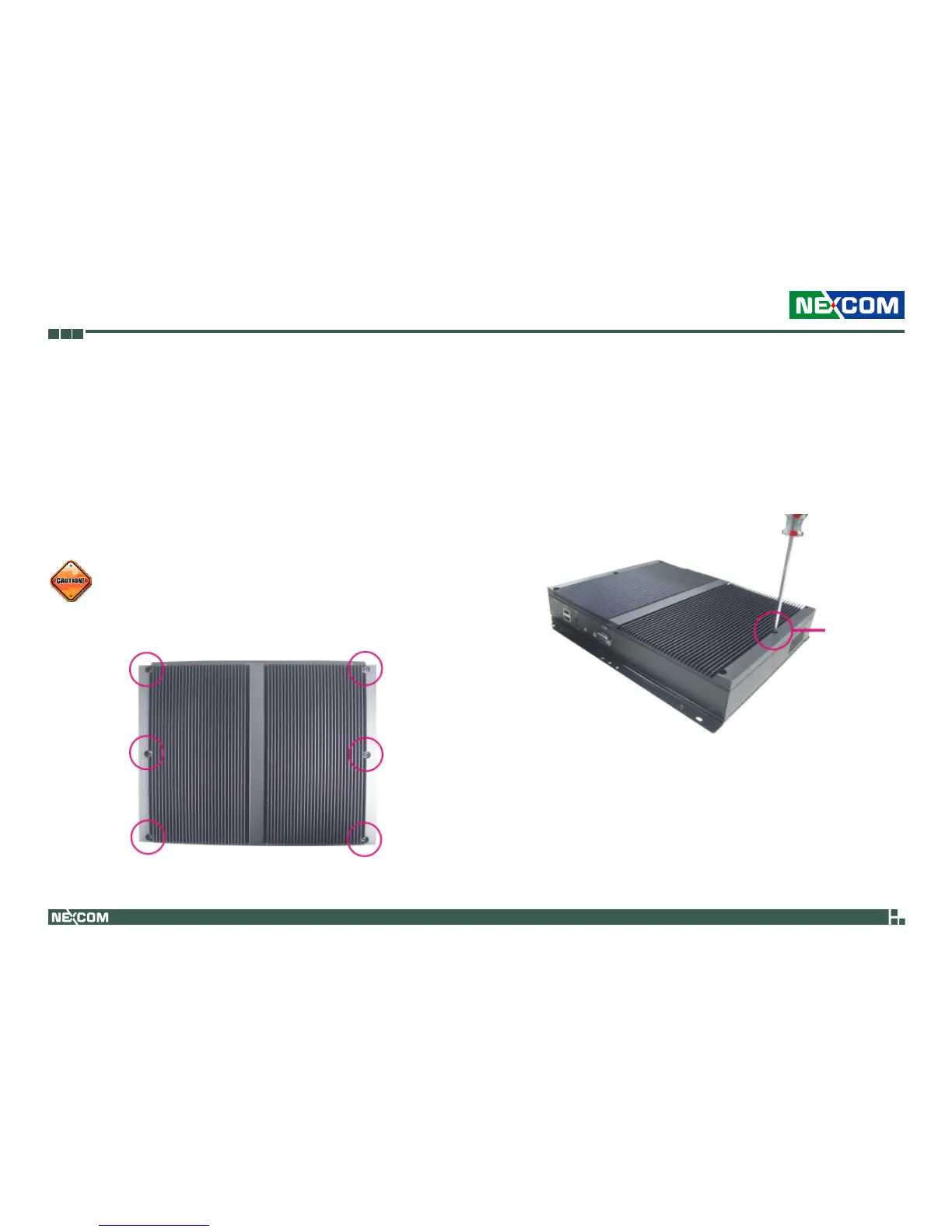
Top View of the System
2. Remove these screws and put them in a safe place for later use. Lift the
cover upward then remove it from the chassis.
Remove
screw
Prior to removing the chassis cover, make sure the unit’s power is
off and disconnected from the power sources to prevent electric
shock or system damage.
1. The screws on the cover are used to secure the cover to the chassis.



 To Next Page