Copyright © 2008 NEXCOM International Co., Ltd. All Rights Reserved.
26
Chapter 3: System Setup
NDiS 161 User Manual
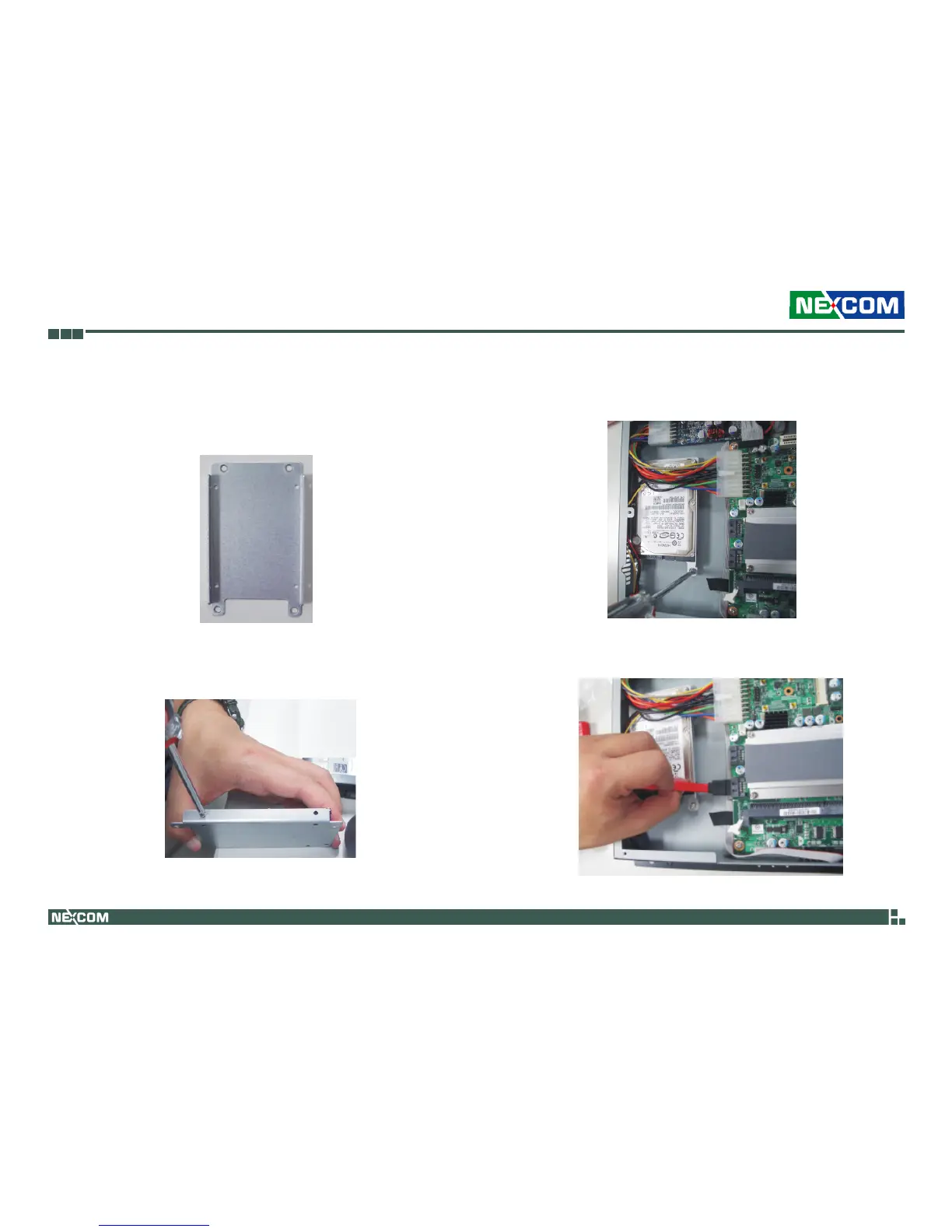
Installing a SATA Hard Drive
The drive bay included in the package is used to hold a SATA hard 1.
drive.
2. Place the SATA hard drive onto the drive bay. Align the mounting holes
that are on the sides of the SATA drive with the mounting holes on the
drive bay then use the provided screws to secure the drive in place.
3. Place the SATA drive into the chassis then use the provided screws to
secure the drive bay to the chassis.
4. Connect one end of the SATA data cable to the SATA connector that is
on the system board.



 To Next Page