USB-Link™ 3 Installation and Setup Manual
Chapter 3: Installing the Drivers and Setting Up the Device 43
Switching Modes: Mini Access Point and Infrastructure
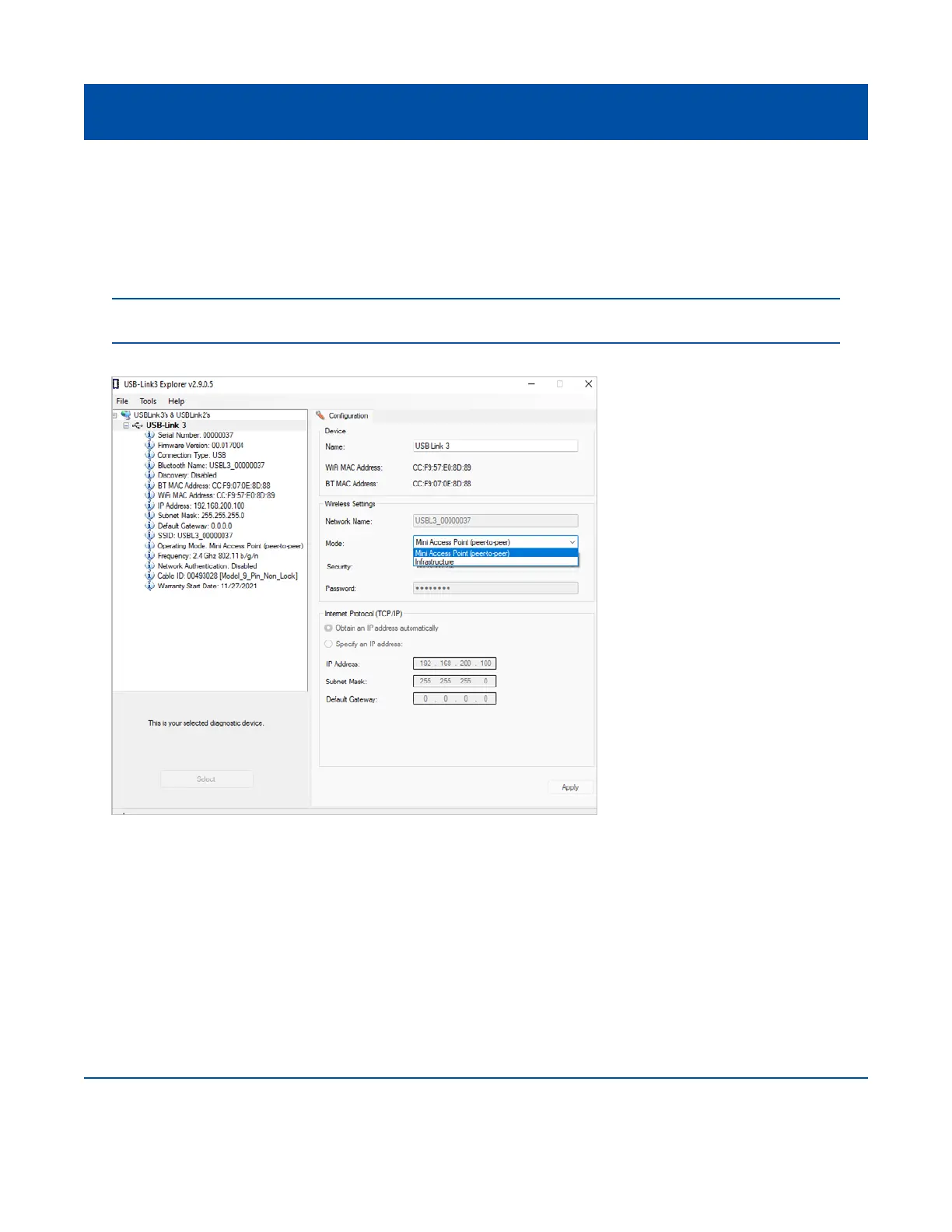
From the USB-Link™ 3 Explorer Conguration tab, use the Mode drop-down menu under Wireless
Settings to switch between Mini Access Point and Infrastructure modes.
Once you have selected Infrastructure from the drop-down menu, additional elds in the Wireless
Settings portion of the screen are available.
Figure 3.21 Wireless Settings: Mode Drop-down Menu
NOTE: For a graphic depiction of a typical Infrastructure Mode setup, see Figure 3.14 (pg. 35)



 To Next Page