3.5.5.2 Display
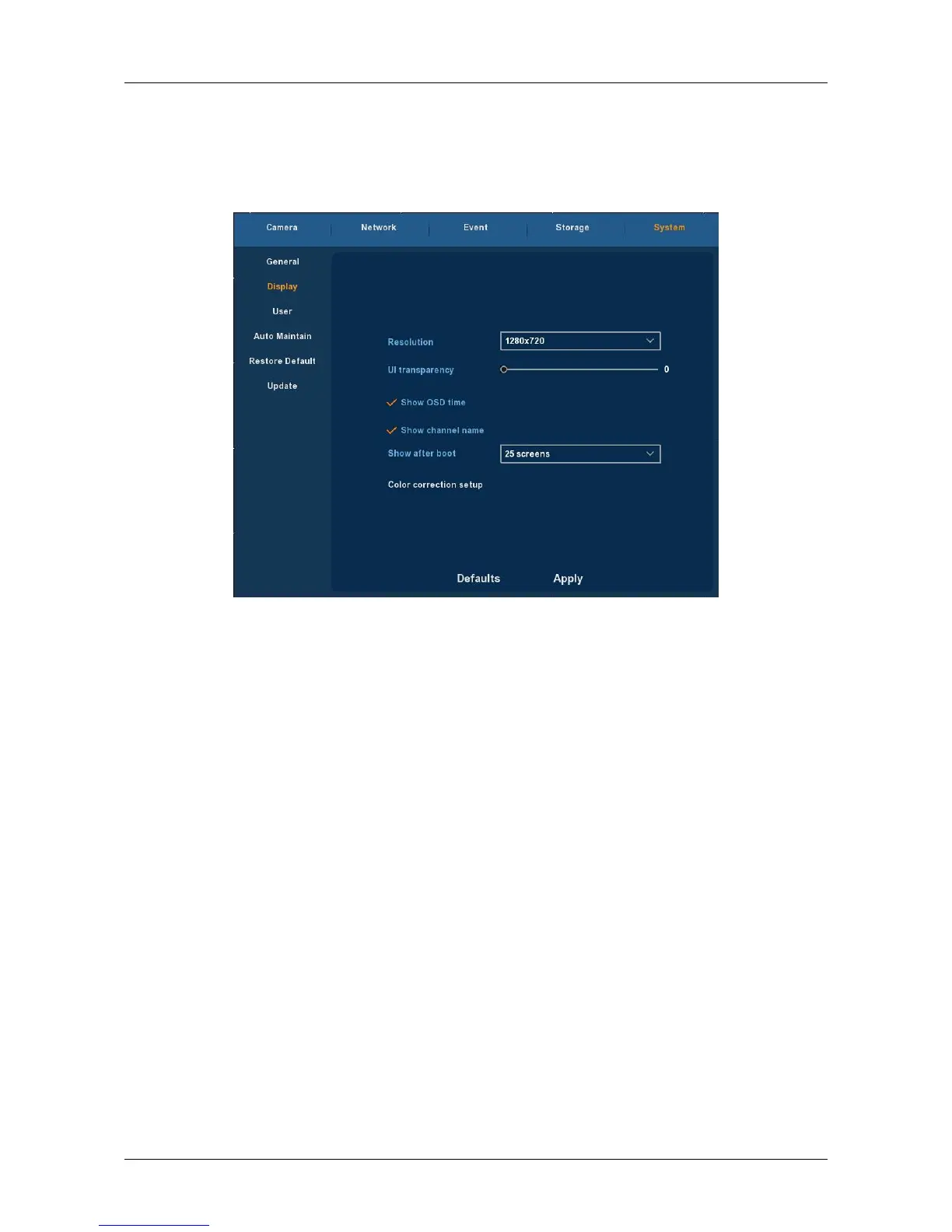
Choose ”Menu→Setup→System→Display” in the Menu interface, the
Display Setup interface is displayed, could modify the display resolution and
channel names, as Figure 3-29 shows.
Figure 3-29
Resolution: It means the resolution of video output of NVR. Optional
resolution: 1024×768 、 1280×720 、 1280×1024 、 1920×1080. Default
resolution is 1280×720. It will be valid only after NVR is re-started with all
specifications saved.
UI Transparency: The higher the percentage, the more transparent
device local menu. The value ranges from 0 to 255.
Show OSD Tim: select the ”√” to display time or not when system is
playback.
Show channel name: select the ”√” to display channel name or not
when system is playback.
Show after boot: Set the number of screens displayed after entering the
system.
Color correction setup: Set brightness and contrast and other attributes
of the NVR.
Default : Restore all specifications or parameters of Display setup to be
factory default specifications.
Apply: To save specifications or parameters of common setup.



 To Next Page