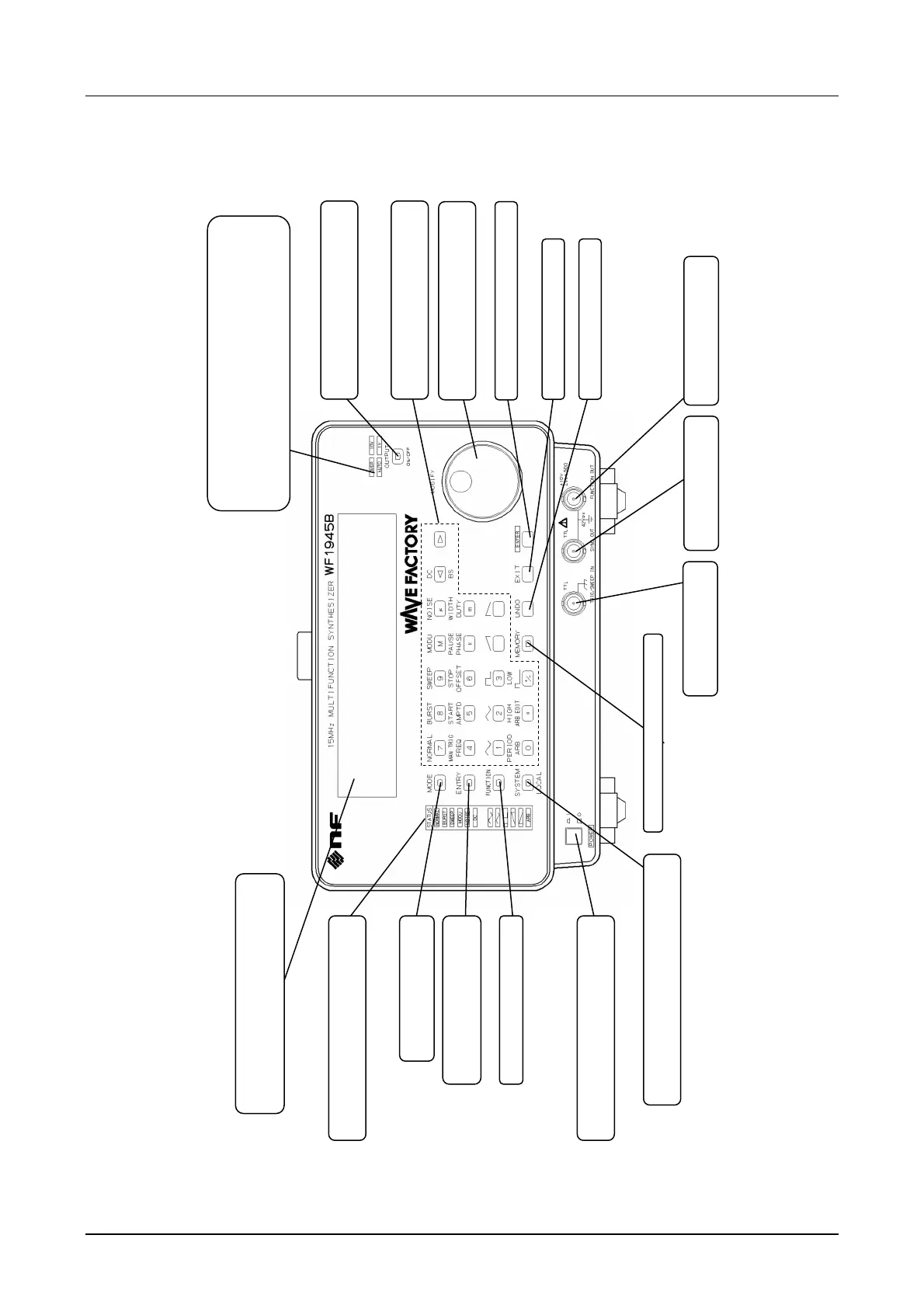
3.1 Panel description
WF1945B 3-3
Front panel
Trigger/sweep input
connector (page 3-9)
Sync signal output
connector (page 3-6)
Waveform output connector
(page 3-5)
Memory save, recall, etc. (page 5-13)
Power on/off. Depress for power on, press
and release to raised position for power off.
Frequency and amplitude
setting (pages 3-21 to 3-23)
Oscillation mode selection
(page 3-19)
Displays frequency, amplitude, offset and load
impedance settings, in addition to information
to assist when setting.
Lamps light to indicate present oscillation
mode and waveform selection.
Lamp lights to indicate output range.
When the range is set for automatic switching, the Auto
lamp lights (page 5-18).
The OVER lamp flashes when the output voltage
exceeds the upper limit (page 3-5).
Output waveform on/off. Key lamp
lights when on, extinguishes when off.
Key button, top or bottom lamps light
only for operable keys.
When Modify lamp lights, turn dial to
set values or parameters.
Return to the previous step.
Undo key (page 5-21)
Setting initialize (page 3-16), output range
setting (page 5-18), user unit setting (page 5-9)
Waveform select (page 3-20)
Press to enter, e.g., a numerical input.



 To Next Page