13
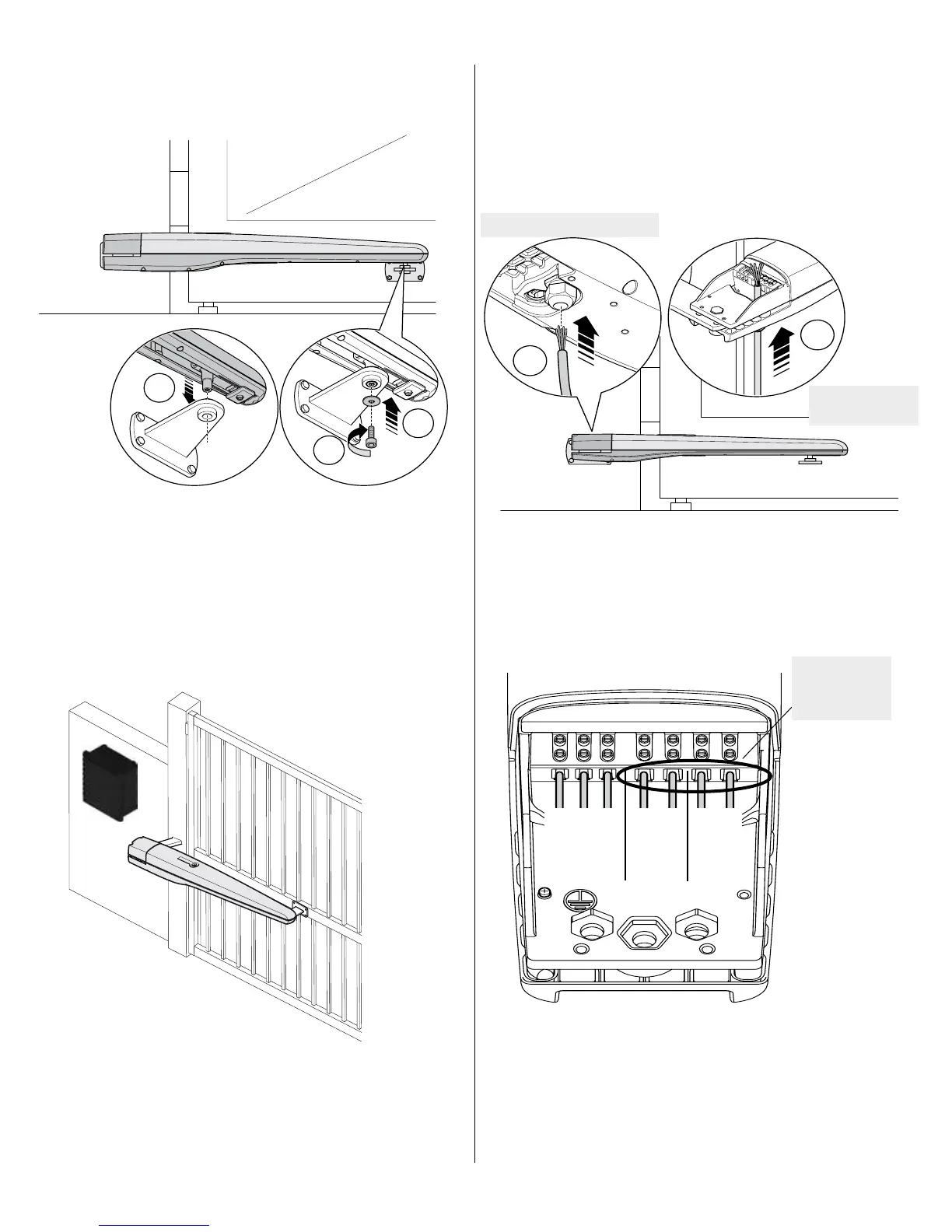
Loosen bushing nut to insert cable
Connect the traveler to the gate bracket using the supplied bolt and washer.
Be careful not to over-tighten the bolt.
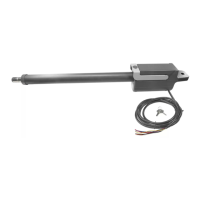
7.5 - Connect actuator harness
Unlock the strain relief bushing located on the bottom of the actuator, insert the
power cable through the bushing to the top of the T5 as shown. Ensure there
is sufcient conductor on the topside of the T5 to make connections, and then
tighten the nut clockwise to secure the cable in the strain relief bushing.
Using a small athead screwdriver, turn each of the screws indicated in a
counterclockwise direction to open each of the wire terminals. Strip ¼” of
the end of the 18AWG conductors with wire strippers to avoid nicking the
stranded wire. Insert the stripped ends of the conductors as shown.
7.7 - Control box installation
Mount the control box within 4 feet of the pivot arm. Do not mount the
control box where a person come in contact with the gate. Use mounting
hardware capable of supporting the weight of the control box.
Connect
T524V motor cable
to outlined wire
terminals
Tighten the wire terminals to complete the wiring connection to the T5.
Attach the cover and secure with the provided Phillips head screws.
Terminate the other end of the T5 motor control cable as shown.
blue
yellow
red
black
Not Used
Encoder
Motor
Leads
Tighten bushing nut
to secure cable



 To Next Page