MultiMediaCard
SD
Memory Stick
MultiMediaCard
DC IN 12V
ON
OFF
DC IN 12V
ON
OFF
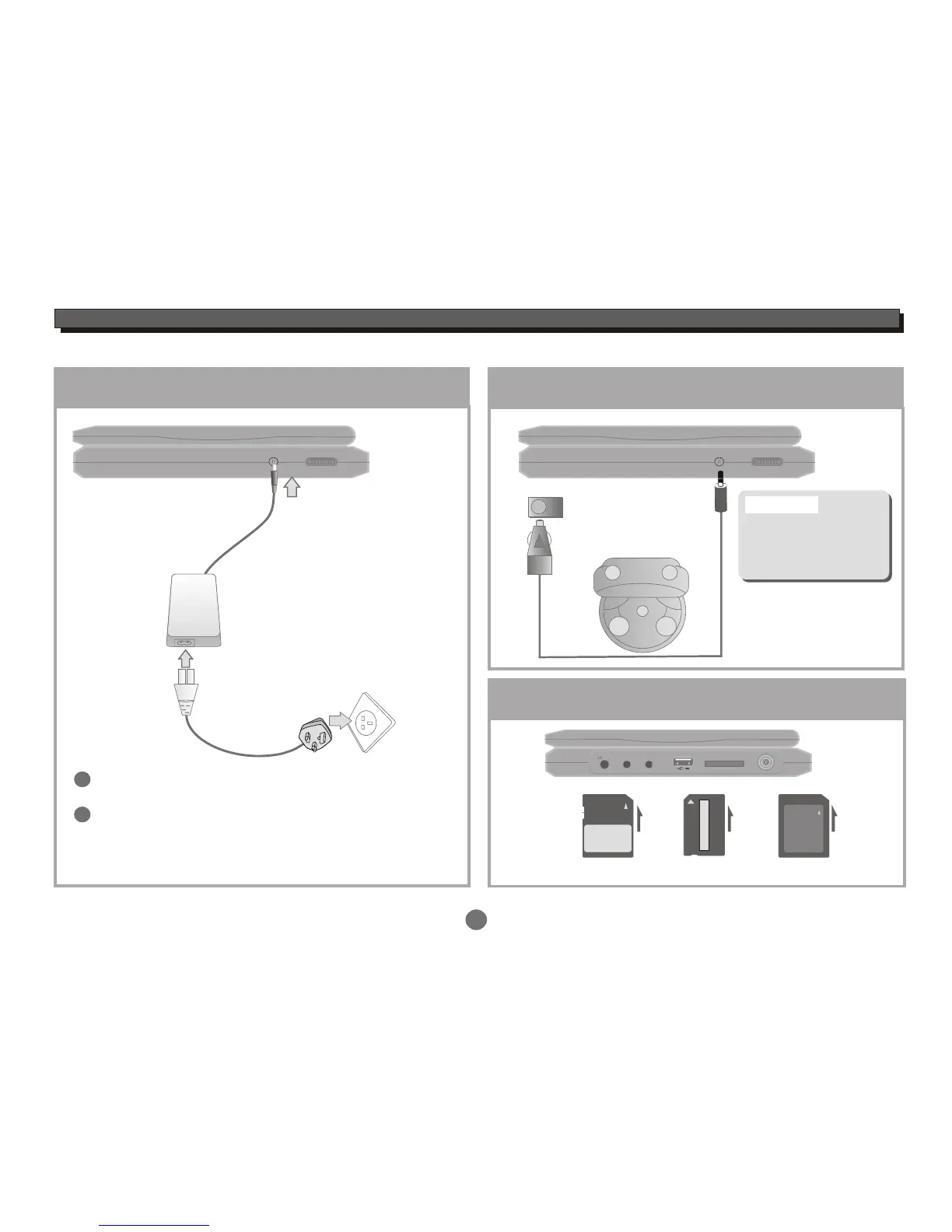
SYSTEM CONNECTION
Connecting to External Power
2
1
6
Connect part 1 with 2,
insert the plug into outlet, then the unit will be
in standby status.
1
2
Connecting to Car Power
Automotive DC adaptor output
RF IN
SD / MS / MMC CARD
AV/IN OUT
COAXIAL
PHONE
Inserting the SD/MS/MMC card
SD: MS: MMC:
Refer to the drawing above,insert the card to card slot.
Connect this unit to DC
adaptor output on the car.
Do not use car adaptor
torecharge the Portable
DVD at the same time
turns on car ignition
Warning:
The unit can be used
after starting the car.
3


 To Next Page