13
FUNCTION BUTTONS
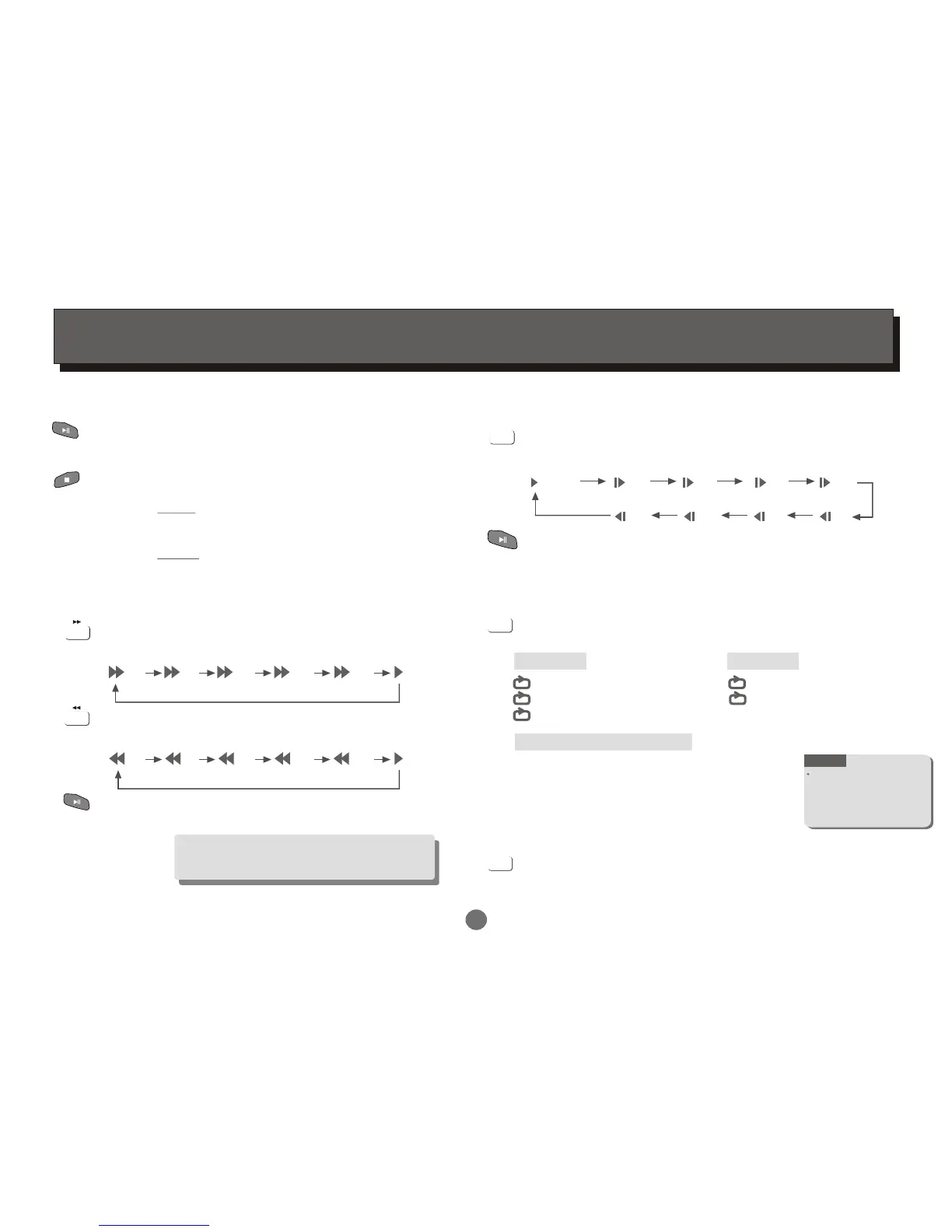
Play / Pause / Stop
Press PLAY / PAUSE button to switch the player
between PLAY or PAUSE mode.
Press STOP button to stop in two modes:
a) Press Once : STOP memorizes the interrupt position.
( May resume with Play button )
b) Press Twice : To stop completely.
(Will NOT resume with Play button)
Player will not advance or reverse during
"WARNING" section of any disc.
Search Forward / Backward
Press to search forward
Repeat pressing the button to change search speed
Press to search backward
Repeat pressing the button to change search speed
Press PLAY/PAUSE repeatedly button to resume
normal playback
x2 x4 x8 x16 x32
(Play)
x2 x4 x8 x16 x32
(Play)
Slow Forward/Backward
Press SLOW button to play slow forward/backward.
Repeat pressing the button to change slow forward or
backward speed:
1/2 1/4 1/8 1/16
SLOW
(Play)
1/16 1/8 1/4 1/2
(Slow Forward)
(Slow Backward)
Press PLAY/PAUSE repeatedly button to resume normal
playback.
REP./FAV
Press REP./FAV button multiple times to reach desired
repeat mode (see below).
DVD disc
MPEG 4/Picture CD disc
Chapter
Title
ALL
Repeat the Chapter
Repeat the Title
Repeat the whole disc
REP./FAV
Track
ALL
Repeat the existing track
Repeat all tracks
CD disc
Play in shuffle order
Play in random order
Play the existing track once
Repeat the existing track
Repeat the existing folder
Play th existing folder once
Shuffle
Random
Single
Repeat One
Repeat Folder
Folder
In DVD mode:
Press the button to open the FAVOURITE LIST . REP./FAV
Press the UP or DOWN cursor button to select the
desired favourite channels.
In DVB mode:
REP./FAV
Repeat functionality
depends on different
disc's production format,
some DVD discs do not
allow repeat function.
NOTE


 To Next Page