GETTING STARTED
11
USB mode
Insert a USB stick to the USB slot in the unit.
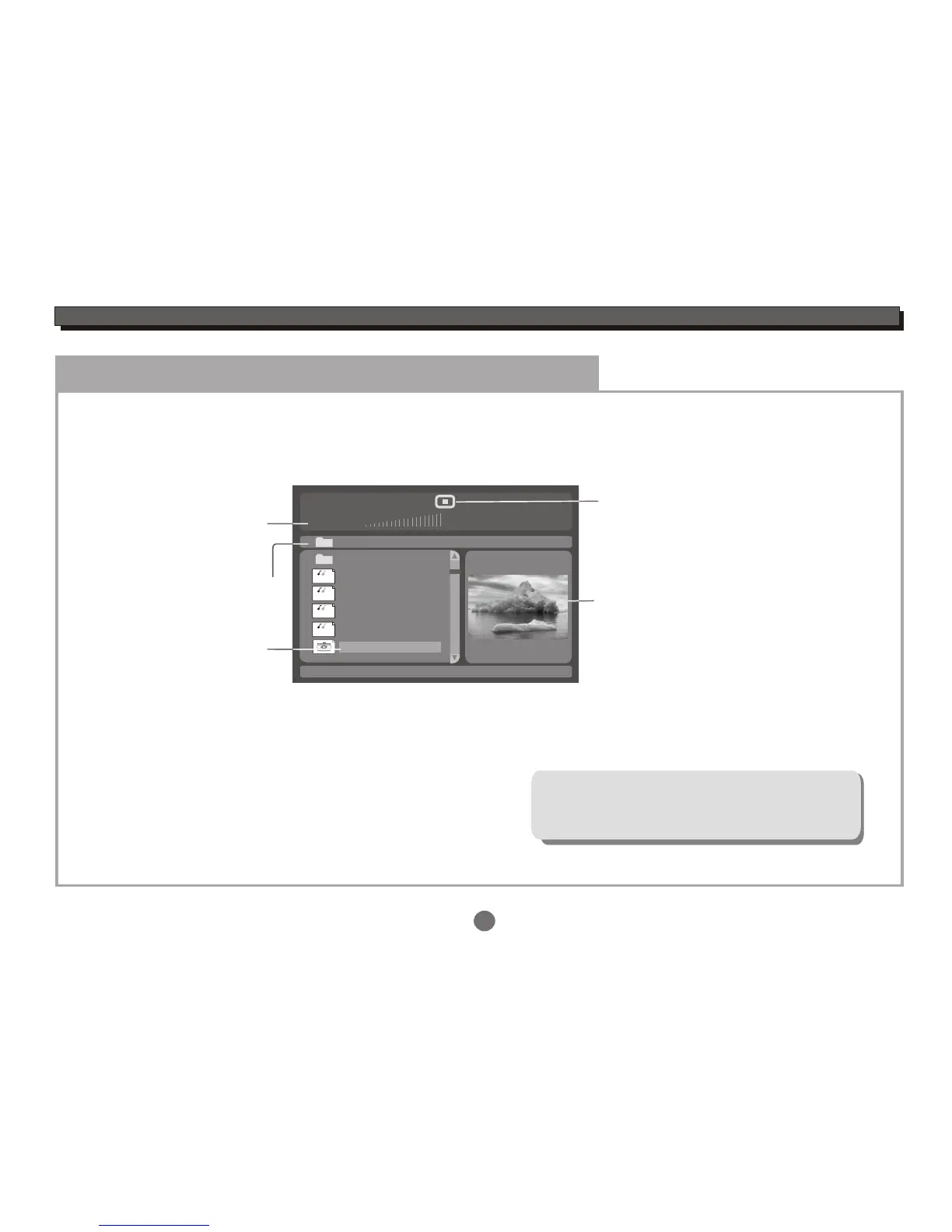
Press the MODE button to select USB mode, an On Screen Display (OSD) indicator will appear on the TV screen,
which displays the file information and operation status.
Song: Track 02
00:00 00:00
001
002
003
004
005
006/011
Disc files
current files /
total files
Selection
highlight
(Press ENTER
button to play
this file)
\Folder ABC\
..
Playback
status
Current folder
MP3
MP3
MP3
MP3
Preview
Press the UP or DOWN cursor button to highlight the desired file or folder, and press the ENTER button to confirm.
Then the player will start playback.
The unit only supports USB flash disk, but
does not support USB hard disk!
Multi-playback for USB:
MPEG4(AVI),MP3,JPEG....
For operation details of the file, please see
"ON SCREEN DISPLAY".
USB MODE


 To Next Page