2220
DVD SETUP MENU
Various features of the player can be adjusted in the SETUP
menu:
Press SETUP button to enter SETUP menu .
General Setup
Highlight the desired icon ,press ENTER button to
activate the setting sub menu.
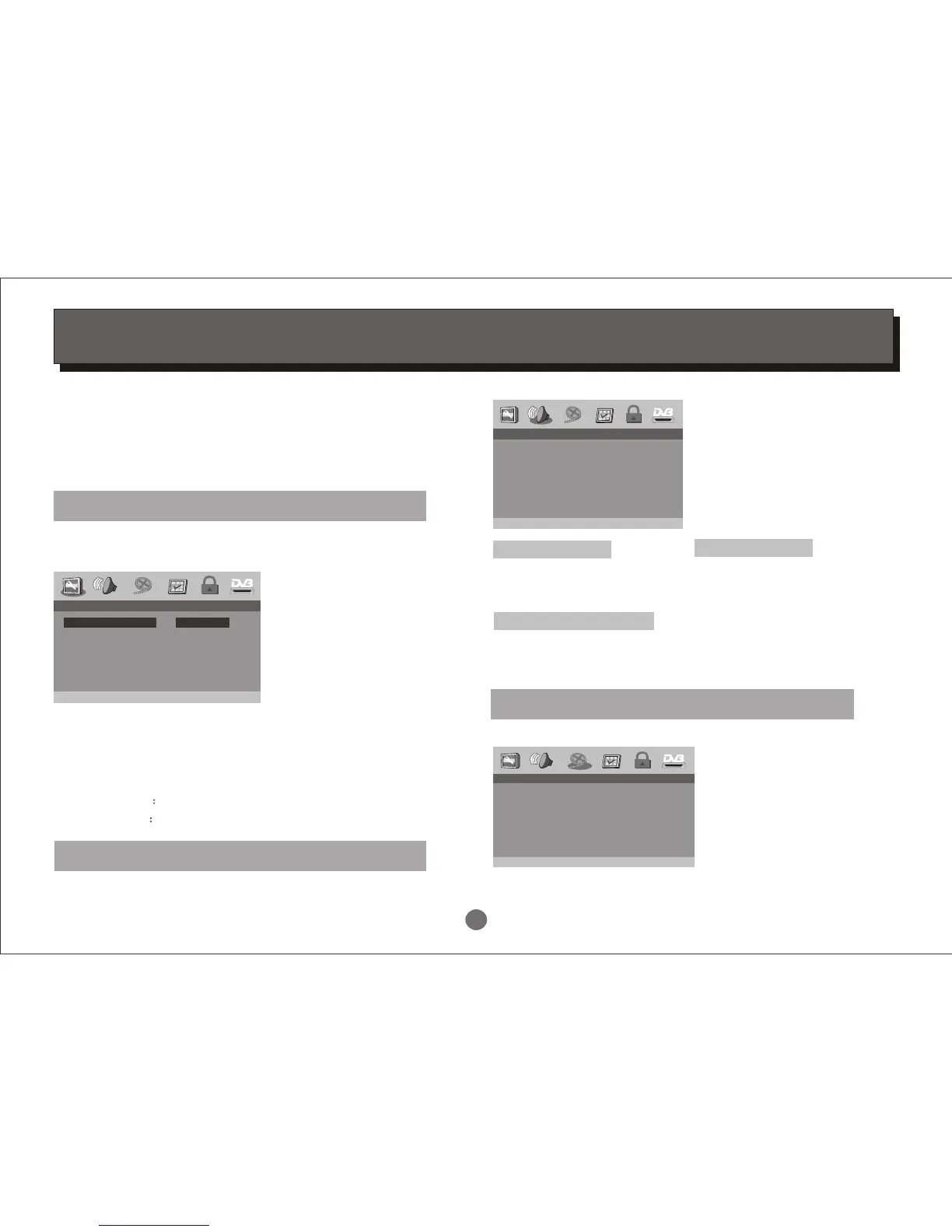
Enter this menu to setup the TV Display, Angle Mark, OSD
Language, Closed Captions,Screen Saver and Last Memory.
TV Display:
Angle Mark:
OSD Language:
Captions:
Screen Saver
Last Memory
-- General Setup Page --
Set TV Display Mode
00:00
TV Display
Angle Mark
OSD Lang
Captions
Screen Saver
Last Memory
PS
On
ENG
Off
On
Off
Normal/PS
Normal/LB
Wide
PS/LB/Wide
On/Off
English
On/Off
On/Off
On/Off
Enter this menu to set Speaker, SPDIF and Dolby Digital.
Audio Setup
00:00
-- Audio Setup Page --
Speaker Setup
SPDIF Setup
Dolby Digital Setup
Go To Audio Setup Page
Video Setup
Enter this menu to setup the Quality.
00:00
-- Video Setup Page --
Go to video Setup Page
Quality
Dual Mono:
Dynamic:
Stereo/L-Mono/R-Mono/Mix-Mono
FULL/ 3/4 / 1/2 / 1/4 / OFF
Dolby Digital Setup:
Downmix:
Post DRC:
LT/RT / Stereo
On/Off/Auto
Speaker Setup:
Spdif Output:
LPCM Out:
Off/RAW/PCM
48K/96K
SPDIF Setup:


 To Next Page