14
First Steps
Setting Display Language, Date and Time
A language-selection dialog and date menu are displayed the first time the
camera is turned on.
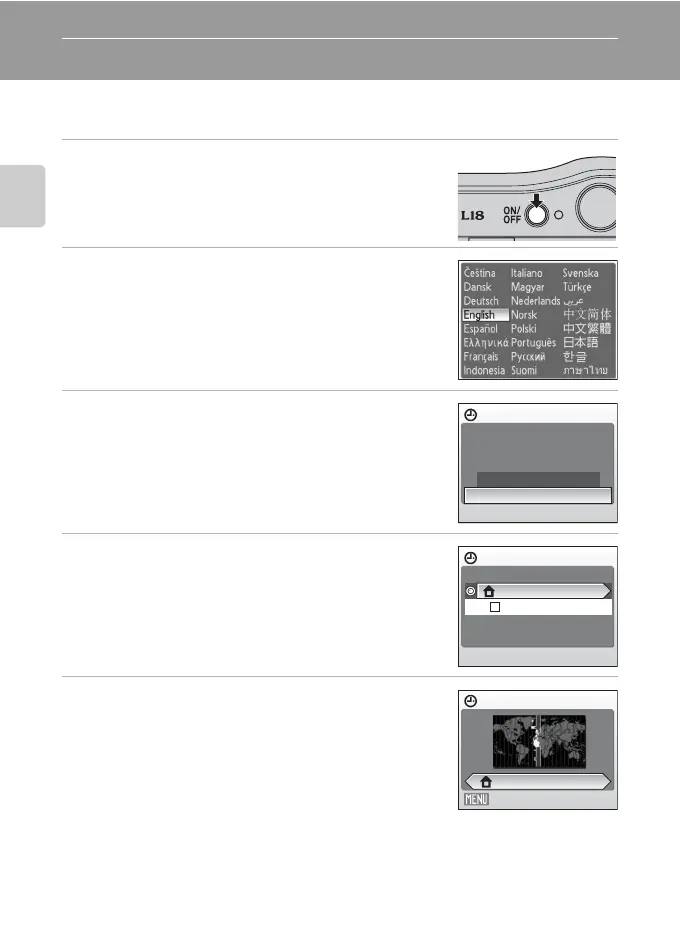
1 Press the power switch to turn on the camera.
The power-on lamp (green) will light for a moment and
the monitor will turn on.
2 Use the multi selector to choose the desired
language and press k.
For information on using the multi selector, see “The Multi
Selector” (A 9).
3 Choose Yes and press k.
If No is selected, the date and time will not be set.
Proceed to step 8.
4 Press k.
The home time zone menu is displayed.
5 Select your home time zone (A 79) and press
k.
The date menu is displayed.
D Daylight Saving Time
If daylight saving time is in effect, turn on
Daylight saving
in the time zone menu in Step 4 and set the date.
1 Before pressing K, press the multi selector I to choose Daylight saving.
2
Press
k
to enable daylight saving time (
w
). Pressing
k
toggles the daylight saving time option on and off.
3 Press the multi selector H, and then press K to proceed to step 5.
Date
Set time and date?
No
Ye s
Time zone
London,Casablanca
Daylight saving
Home time zone
Back
London,Casablanca



 To Next Page