75
Basic Camera Setup: The Setup Menu
Shooting, Playback and Setup Menus
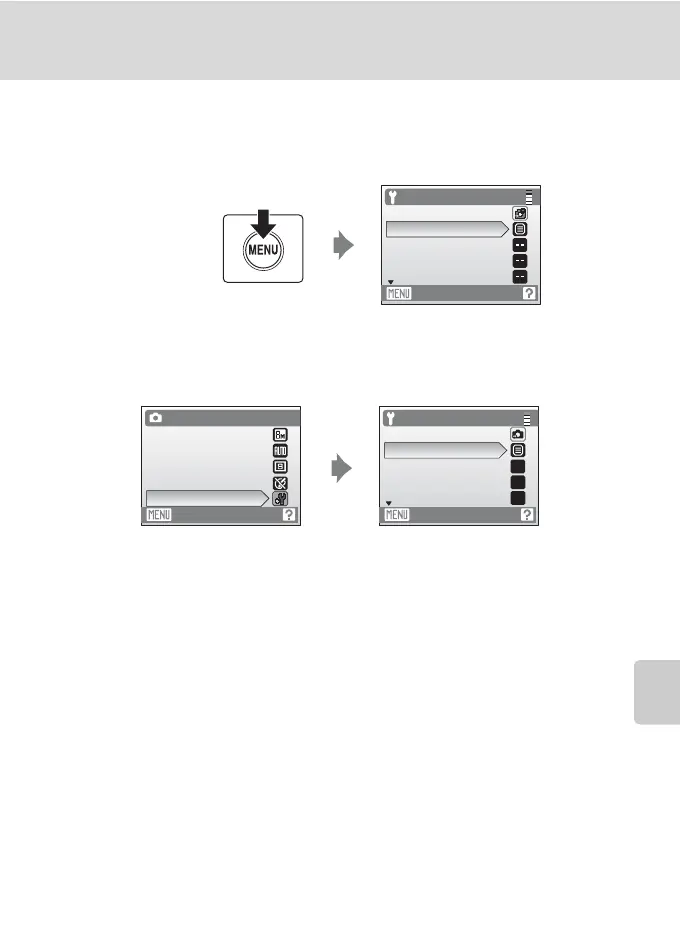
Displaying the Setup Menu
G (easy auto) mode
Press d to display the setup menu.
Auto Mode, Scene Mode, and Movie Mode
Press d to display the shooting menu and use the multi selector to choose Set
up. Press k to display the setup menu.
• To choose menus and apply selection, use the multi selector (A 9).
• To exit the setup menu, press d.
Set up
Easy auto mode
Menus
Welcome screen
Date
Monitor settings
Exit
Exit
Auto mode
Image mode
White balance
Continuous
Color options
Set up
Set up
Auto mode
Menus
Welcome screen
Date
Monitor settings
Exit
--
--
--
Press the multi selector
H or I to choose Set up
and press k.



 To Next Page