25
Step 4 Viewing and Deleting Pictures
Basic Photography and Playback: Easy Auto Mode
C Playback Mode
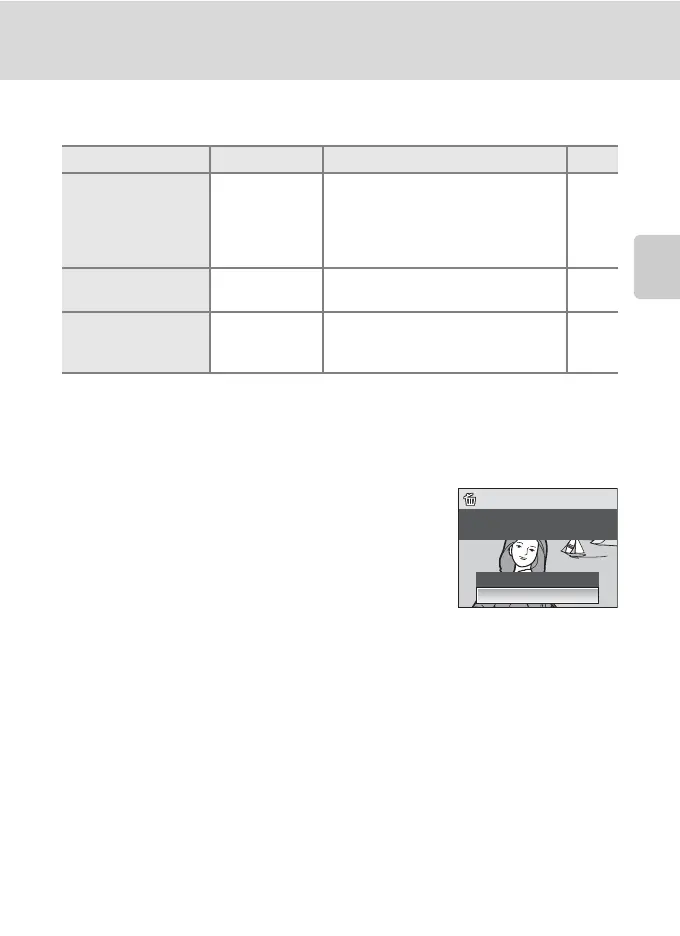
The following options are available in full-frame playback mode.
C Viewing Pictures
Pictures stored in the internal memory can only be viewed if no memory card is inserted.
Pictures taken in Face Priority, while in full-frame playback, will be rotated (if necessary) and
displayed.
C Deleting the Last Picture Taken
In shooting mode, press l to delete the last picture taken.
Option Use Description A
Playback zoom g (i)
Press g (i) to enlarge view of picture
currently displayed in monitor, up to
about 10×.
Press k to return to full-frame
playback.
41
View thumbnails f (h)
Press f (h) to display 4, 9 or 16
picture thumbnails.
40
Switch to shooting
mode
A/D/y
Press the shooting mode button to
switch to the shooting mode selected
in the shooting-mode selection menu.
8
Erase 1 image?
Erase 1 image?
No
Ye s



 To Next Page