56
Connecting to a Printer
Connecting to Televisions, Computers and Printers
Printing Pictures One at a Time
After connecting the camera to the printer correctly (A 55), print pictures by
following the procedure below.
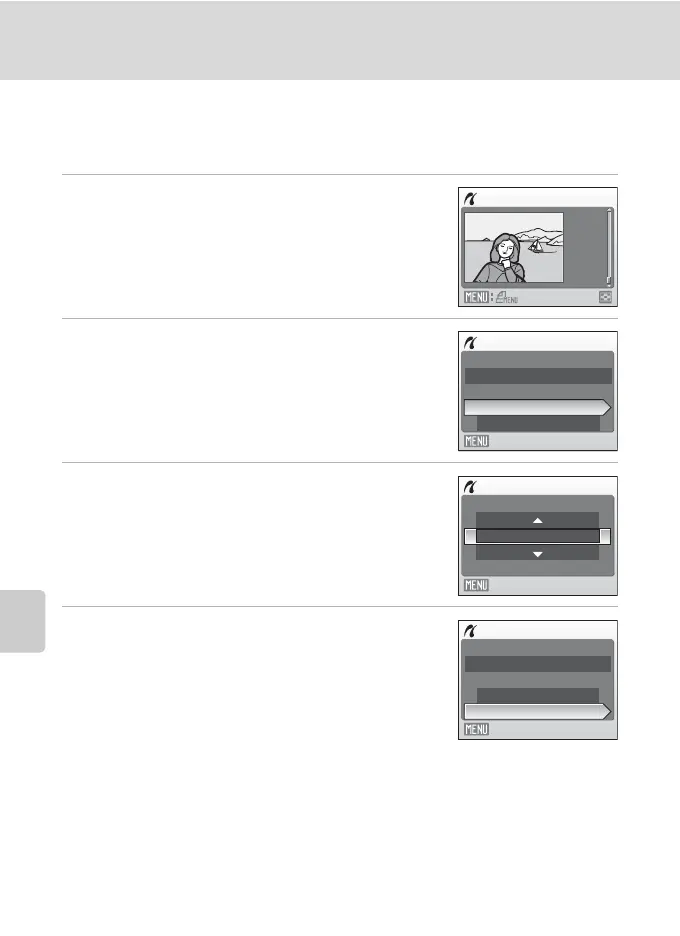
1 Use the multi selector to choose the desired
picture and press k.
Press f (h) to switch to thumbnail display.
Press g (i) to switch back to full-frame playback.
2 Choose Copies and press k.
3 Choose the number of copies (up to nine) and
press k.
4 Choose Paper size and press k.
15/05
2008
NO.
[ 12 ]
12
Print selection
PictBridge
Start print
Copies
Paper size
Exit
Copies
4
Exit
PictBridge
Start print
Copies
Paper size
Exit



 To Next Page